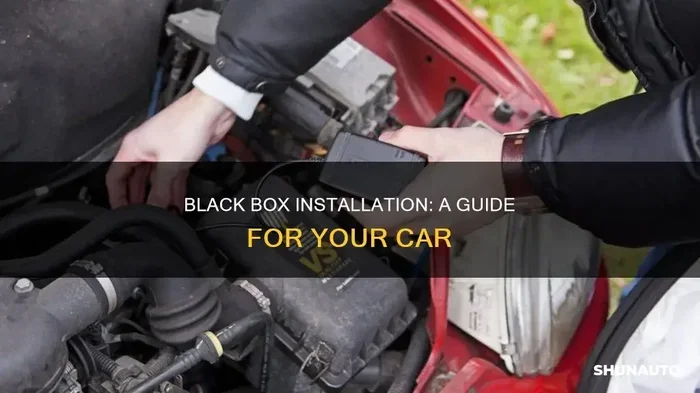
The Ultimate Car Black Box Project You Can Build Today
A car black box project lets you build your own event data recorder for your vehicle. This guide walks you through every step, from choosing components to writing the code. You will learn how to capture speed, GPS location, and impact data just like professional telematics systems do.
A car black box project might sound like something reserved for engineers and professional racers. But here is the truth. You can build one yourself this weekend with affordable parts and basic skills. A car black box project turns your vehicle into a smart machine that records speed, location, and impact data every single time you drive.
Think about it. Every modern car already has a factory event data recorder. But what if you want full control over what gets recorded? What if you want to customize the data, add video, or send alerts to your phone? That is exactly what a DIY car black box project delivers.
This guide covers everything you need. From the core components to writing the code and mounting the device in your car. By the end, you will have a fully functional driving data logger that rivals expensive commercial systems. Let us get into it.
Key Takeaways
- Build a real working car black box: You do not need expensive gear to create a functional driving data logger at home.
- Affordable components: A Raspberry Pi, GPS module, and accelerometer are all you need to get started.
- Step-by-step guidance: The build process is broken into clear stages anyone can follow.
- Real-world benefits: A DIY black box helps with accident analysis, insurance claims, and monitoring driving habits.
- Customizable design: You can add features like cloud uploads, alerts, and video recording to your build.
- Common mistakes are covered: Learn what pitfalls to avoid for a reliable and accurate system.
📑 Table of Contents
- What Is a Car Black Box Project?
- Why Build Your Own Car Black Box?
- Components You Will Need for Your Car Black Box Project
- Step-by-Step Build Guide for Your Car Black Box Project
- Programming and Data Logging for Your Car Black Box Project
- Tips for Optimizing Your Car Black Box Project
- Common Mistakes to Avoid in Your Car Black Box Project
- Expert Insights on Car Black Box Technology
- Key Takeaways
- Conclusion
What Is a Car Black Box Project?
A car black box project is a DIY build that creates an event data recorder for your vehicle. The concept comes from aviation. Airplanes use black boxes to record flight data during every trip. A car black box project does the same thing for your car.
The device captures information like speed, GPS coordinates, acceleration, braking patterns, and impact forces. Some builds also include video recording through a dash cam module. All of this data gets stored on a memory card or sent to a cloud server for later review.
People build car black box projects for many reasons. Insurance companies sometimes offer discounts for telematics devices. Parents want to monitor teen drivers. Car enthusiasts track performance data during track days. And some builders simply want to know exactly what happened during an accident.
How Does a Car Black Box Work?
At its core, a car black box project relies on a few key sensors. A GPS module tracks location and speed. An accelerometer measures G-forces during acceleration, braking, and collisions. A microcontroller processes all of this data and writes it to storage. The entire system runs on a small power supply connected to your car’s electrical system.
The data logging happens continuously or in event-triggered mode. Event-triggered means the device only saves data when it detects sudden changes. For example, if your car experiences a sharp deceleration or a collision, the device locks that data segment so it cannot be overwritten. This mirrors how professional event data recorders work in commercial vehicles.
Why Build Your Own Car Black Box?
You might wonder why you should build a car black box project instead of buying a ready-made device. There are several strong reasons. Let us look at the biggest ones.
Complete Customization
When you build your own car black box project, you decide what gets recorded. Want to track fuel consumption? Add a fuel sensor. Want video alongside telemetry data? Connect a camera module. Commercial devices lock you into their features. A DIY build gives you total freedom.
Cost Savings
Professional telematics systems can cost hundreds or even thousands of dollars. A car black box project can be built for under fifty dollars using a Raspberry Pi and a few sensors. The savings are enormous, especially if you want to build multiple units for different vehicles.
Learning and Skills
Building a car black box project teaches you real-world skills. You will learn about microcontrollers, sensor integration, data logging, and even basic programming. These skills transfer to many other Arduino car project ideas and Raspberry Pi car projects. It is an investment in your knowledge that pays dividends.
Insurance and Legal Benefits
Having your own driving data logger can be incredibly valuable after an accident. The recorded data provides an objective account of what happened. Some insurance companies accept this data as evidence. It can speed up claims and even lower your premiums over time.
Components You Will Need for Your Car Black Box Project
Every car black box project needs a set of core components. Here is a full list of what you will require. I have kept this list practical and budget-friendly.
Core Electronics
- Raspberry Pi or Arduino board: The brain of your car black box project. A Raspberry Pi 4 handles GPS data, video processing, and logging with ease.
- GPS module: A NEO-6M or NEO-M8N GPS module gives you accurate location and speed data for your vehicle telemetry system.
- Accelerometer/gyroscope sensor: An MPU-6050 or ADXL345 sensor measures movement and impact forces. This is essential for crash detection in your black box recorder.
- MicroSD card: Use a 32GB or 64GB card for storing logged data and video footage from your in-car camera system.
- Power supply module: A step-down converter connects to your car’s 12V system and powers your automotive data acquisition device safely.
Optional Add-Ons
- Camera module: A Raspberry Pi camera or USB webcam adds video recording to your driving behavior monitor.
- 4G/LTE module: A SIM card module enables real-time data uploads to the cloud for remote telematics system monitoring.
- LCD display: A small screen lets you view live data on the dashboard while driving.
- Impact sensor: A dedicated crash detection sensor adds an extra layer of reliability to your crash detection system.
Comparison Table: Raspberry Pi vs Arduino for Car Black Box Projects
| Feature | Raspberry Pi | Arduino |
|---|---|---|
| Processing Power | High (quad-core CPU) | Low (single-core MCU) |
| Video Support | Yes, built-in HDMI and camera port | No native video support |
| GPS Integration | Easy with USB or serial | Requires serial communication |
| Power Consumption | Higher (needs 5V 3A) | Very low (can run on 5V) |
| Cloud Connectivity | Built-in Wi-Fi and Bluetooth | Requires additional WiFi module |
| Learning Curve | Moderate | Easy for beginners |
| Cost | $35-$75 | $10-$30 |
| Best For | Advanced telemetry and video logging | Simple data logging and sensor projects |
For most car black box project builds, I recommend the Raspberry Pi. Its processing power and built-in connectivity make it the clear winner for telematics system projects. However, if you are a complete beginner, an Arduino is a great starting point for a simpler driving data logger.
Step-by-Step Build Guide for Your Car Black Box Project
Now comes the fun part. Building your car black box project piece by piece. Follow these steps carefully and you will have a working device in just a few hours.
Step 1: Set Up Your Microcontroller
Start by installing the operating system on your Raspberry Pi. Flash Raspberry Pi OS onto your microSD card using the Raspberry Pi Imager tool. Boot up the device and make sure it connects to Wi-Fi. Update all packages using the terminal. This foundation is critical for a stable car black box project.
If you are using an Arduino, install the Arduino IDE on your computer and upload a basic test sketch first. Make sure your board responds correctly before moving to sensors.
Step 2: Connect the GPS Module
Wire your GPS module to the Raspberry Pi using the UART serial interface. The connections are straightforward. Connect the TX pin of the GPS to the RX pin of the Pi and vice versa. Power the GPS module with 3.3V and connect the ground pins together.
Install the GPSD software package on your Raspberry Pi. This tool parses NMEA data from the GPS module and makes it readable for your car black box project software. Test the GPS fix outdoors before installing it in your car.
Step 3: Wire the Accelerometer Sensor
Connect your accelerometer sensor to the Raspberry Pi using I2C communication. The MPU-6050 sensor uses just two data lines (SDA and SCL) plus power and ground. Enable I2C on your Raspberry Pi through the configuration tool.
This sensor is the heart of your crash detection system. It measures acceleration on three axes and detects sudden changes that indicate a collision. Test it by gently tapping the sensor and watching the readings change on your screen.
Step 4: Add the Camera Module (Optional)
If you want video recording capability, connect a Raspberry Pi camera module to the dedicated CSI port. This transforms your car black box project into a full-featured in-car camera system with both telemetry data and video footage.
Use the libcamera software to test the camera feed. Adjust the resolution and frame rate based on your storage capacity. Higher resolution uses more space on your microSD card but gives you better quality footage for accident reconstruction.
Step 5: Write the Data Logging Software
This is where your car black box project comes alive. Write a Python script that reads data from the GPS and accelerometer sensors continuously. The script should timestamp each data point and write it to a CSV file on the microSD card.
Include logic for event-triggered recording. When the accelerometer detects a sudden spike in G-force, the script should save the surrounding data segment and lock it from being overwritten. This ensures your black box recorder preserves critical evidence even if the storage fills up.
Here is a simple structure for your logging function:
- Initialize GPS and sensor connections
- Read data at one-second intervals
- Timestamp each reading with date and time
- Write data to CSV file on the SD card
- Check for impact events and lock affected data
- Rotate log files when storage reaches 90 percent
Step 6: Mount Everything in Your Car
Find a safe and discreet location for your car black box project device. The area behind the dashboard or under a seat works well. Use vibration-dampening mounts to protect the electronics from road shocks.
Connect the power supply module to your car’s fuse box. Use a add-a-fuse adapter to tap into the car’s electrical system without cutting any wires. Make sure the device turns on and off with your ignition to avoid draining the car battery.
Programming and Data Logging for Your Car Black Box Project
Writing the software for your car black box project is one of the most rewarding parts of the build. You get to decide exactly how data is collected, stored, and analyzed.
Python Script for Data Collection
Python is the best language for a car black box project on a Raspberry Pi. It has excellent libraries for GPS parsing, sensor reading, and file handling. Start with a basic script that logs GPS coordinates and speed every second.
Use the pynmea2 library to parse GPS data. Use the smbus2 library to communicate with your I2C accelerometer. Combine these into a single logging loop that writes everything to a timestamped file. The code does not need to be complex. Clean and simple is the goal.
Data Visualization and Analysis
Raw data is useful, but visualizing it makes your car black box project much more powerful. Use Python libraries like Matplotlib and Plotly to create graphs of your driving patterns. Plot speed over time, acceleration curves, and route maps using GPS coordinates.
This data helps you understand your driving behavior monitor readings. You can see where you brake too hard, where you accelerate too quickly, and which routes you drive most often. Some builders even share their vehicle telemetry data with their insurance companies to earn safe-driving discounts.
Cloud Upload and Remote Access
For advanced builders, adding cloud connectivity takes your car black box project to the next level. Use a 4G module or Wi-Fi connection to upload logged data to a cloud server. Services like AWS, Google Cloud, or even a simple Firebase database work well for this purpose.
Remote access means you can check your driving data from anywhere. You do not need to remove the SD card from your car. This feature is especially useful for parents monitoring teen drivers or fleet managers tracking multiple vehicles. A telematics system with cloud backup provides peace of mind and easy data access.
Tips for Optimizing Your Car Black Box Project
Building the device is only half the battle. Making it reliable and accurate requires some extra attention. Here are proven tips from experienced builders.
Use a Vibration-Resistant Mount
Cars vibrate a lot, especially on rough roads. Loose connections cause data gaps and sensor errors in your car black box project. Use foam padding or silicone mounts to isolate your electronics from road vibrations. This small step dramatically improves data quality.
Add a Real-Time Clock Module
Your Raspberry Pi loses track of time when powered off. Adding a DS3231 real-time clock module ensures accurate timestamps even when the car is off. This is critical for accident reconstruction because the timestamp tells you exactly when an event occurred.
Test Before You Install
Never install your driving data logger in the car without thorough testing first. Test every sensor individually. Verify GPS accuracy. Check that the accelerometer detects impacts correctly. Run the full logging system for several hours before trusting it with real driving data.
Manage Your Storage Smartly
Video and data files eat up storage fast. Set up automatic file rotation in your logging script. Delete old files that are older than 30 days unless they are marked as event-locked. This keeps your automotive data acquisition system running smoothly without running out of space.
Keep It Hidden and Secure
Mount your car black box project device where it is not visible from outside the car. This prevents theft and keeps the clean look of your interior. A compact build makes this much easier. Consider 3D printing a custom enclosure that fits perfectly behind your dashboard.
Common Mistakes to Avoid in Your Car Black Box Project
Even experienced builders make mistakes with their car black box project. Learning from others saves you time and frustration. Here are the most common errors and how to avoid them.
- Using cheap power supplies: An unstable power source causes data corruption and crashes. Always use a quality step-down converter rated for your car’s electrical system.
- Ignoring weatherproofing: Temperature extremes inside a car can damage electronics. Use conformal coating on your circuit boards or enclose components in a sealed, insulated case.
- Overcomplicating the software: Start simple. A basic driving data logger that records GPS and speed is already valuable. Add features like video and cloud uploads only after the core system works reliably.
- Skipping ground loop isolation: Electrical noise from your car can interfere with sensor readings. Use optocouplers or isolated power supplies to protect your sensitive electronics.
- Forgetting legal considerations: In some regions, recording video inside a car has legal restrictions. Check your local laws before installing cameras or audio recording in your car black box project.
Expert Insights on Car Black Box Technology
Professional telematics system designers emphasize one thing above all else. Reliability matters more than features. A simple car black box project that works every single time is worth more than a complex system that fails when you need it most.
Experts also stress the importance of data integrity. Your event data recorder should never modify or delete logged data after an event occurs. Write-protecting locked data segments ensures that your records remain trustworthy and usable for accident reconstruction or insurance claims.
Another expert tip is to calibrate your sensors regularly. Accelerometers can drift over time, especially after exposure to heat and vibration. A quick calibration routine at the start of each month keeps your vehicle telemetry accurate and trustworthy.
Key Takeaways
- A car black box project gives you full control over your driving data: You decide what gets recorded, how it is stored, and who can access it.
- The core components are affordable and widely available: A Raspberry Pi, GPS module, and accelerometer form the foundation of any reliable build.
- Event-triggered recording preserves critical data: Your system should automatically lock data segments when it detects sudden impacts or rapid deceleration.
- Video and cloud features add significant value: An in-car camera system combined with cloud uploads creates a comprehensive telematics solution.
- Testing and calibration are non-negotiable: A reliable car black box project depends on proper setup and regular maintenance.
- Avoid common wiring and power mistakes: Clean power connections and vibration-resistant mounting make the difference between a system that works and one that fails.
Conclusion
A car black box project is one of the most rewarding builds you can tackle as a DIY enthusiast. It combines hardware, software, and real-world automotive knowledge into a single device that delivers genuine value. Whether you want to protect yourself after an accident, monitor your driving habits, or simply learn new skills, this project delivers on every front.
The beauty of a DIY car black box project is that it grows with you. Start with basic GPS and speed logging. Then add video recording. Then connect it to the cloud. Each addition makes your driving data logger more powerful and more useful. You are not just building a device. You are building a smarter, safer way to understand your driving.
Grab your components, follow the steps in this guide, and start your car black box project today. The road ahead is full of data waiting to be captured. All you need is the curiosity to collect it.
Frequently Asked Questions
What exactly does a car black box record?
A car black box project typically records speed, GPS location, acceleration, braking patterns, and impact forces. Some builds also capture video footage through a connected camera module. The data is stored on a microSD card and can be reviewed after any trip or incident.
Is building a car black box legal?
In most regions, building and using a personal driving data logger in your own vehicle is perfectly legal. However, laws around video recording inside cars vary by location. Always check your local regulations before adding cameras or microphones to your car black box project.
How much does it cost to build a car black box?
A basic car black box project can be built for thirty to fifty dollars using a Raspberry Pi, GPS module, and accelerometer sensor. Adding a camera module and 4G connectivity increases the cost to around seventy to one hundred dollars. This is a fraction of what commercial telematics devices cost.
Can a DIY car black box help with insurance claims?
Yes. The recorded data from your car black box project provides objective evidence of speed, location, and impact forces during an accident. Many insurance companies accept this data as supporting documentation. Some insurers even offer discounts for drivers who use telematics devices, including DIY builds.
Do I need programming skills to build a car black box project?
Basic Python knowledge helps but is not strictly required. Many open-source scripts for car black box project builds are available online and can be customized without deep programming expertise. If you can follow a tutorial and edit a few lines of code, you can build a working system.
How accurate is the GPS data in a DIY car black box?
Consumer-grade GPS modules like the NEO-6M used in most car black box project builds provide accuracy within three to five meters under open sky. Performance decreases slightly in urban canyons or tunnels. For accident reconstruction purposes, the data is accurate enough to provide a reliable record of your route and speed.