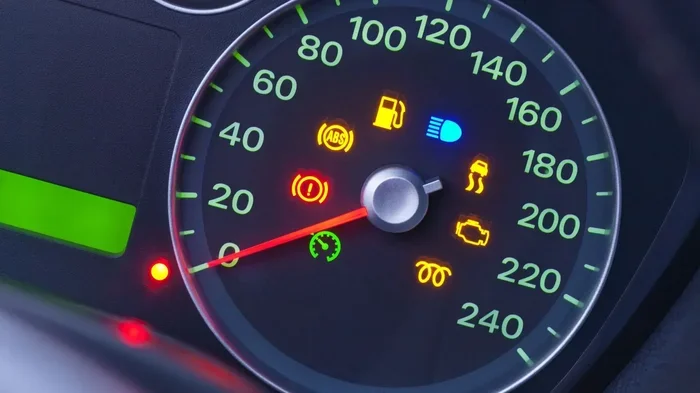
How to Get the Maint Reqd Light Off Once and For All
The maint reqd light is one of the most common dashboard warnings drivers face. This guide shows you exactly how to get the maint reqd light off using simple reset methods for popular car brands. You will also learn what triggers it, when to take it seriously, and how to prevent it from returning.
You are driving down the road, minding your own business, when suddenly a little “MAINT REQD” message pops up on your dashboard. It can feel annoying and confusing at the same time. The good news is that this light is usually not something to panic about. In this guide, we will walk you through exactly how to get the maint reqd light off and keep it from bothering you again.
Whether you drive a Toyota, Honda, Nissan, or another popular brand, the process is often simpler than you think. We will cover every method, explain why the light comes on in the first place, and share tips to avoid dealing with it in the future. By the end of this article, you will feel confident handling this common car issue on your own.
Key Takeaways
- The maint reqd light is a maintenance reminder, not a serious warning like the check engine light.
- Resetting the light is usually simple and takes just a few minutes with your steering wheel buttons or odometer trip meter.
- Different car brands use different reset methods, so knowing your specific procedure matters.
- An OBD scanner can help if the standard reset method does not work for your vehicle.
- Ignoring the light too long can lead to missed oil changes and potential engine wear.
- Regular maintenance keeps the light from coming back and your car running smoothly.
- Some newer cars auto-reset the maintenance light after a service visit.
📑 Table of Contents
- What the Maint Reqd Light Means and Why It Is There
- Common Reasons the Maint Reqd Light Comes On
- How to Get the Maint Reqd Light Off: Step-by-Step Methods
- When You Should Ignore the Maint Reqd Light (and When You Should Not)
- Preventing the Maintenance Required Light from Coming Back
- Expert Insights on the Maint Reqd Light
- Common Mistakes People Make When Trying to Reset the Light
- Quick Tips for a Smooth Reset
- Frequently Asked Questions
- Conclusion
What the Maint Reqd Light Means and Why It Is There
The “MAINT REQD” message on your dashboard is a maintenance reminder. It is not the same as the check engine light. The check engine light signals a serious problem. The maint reqd light simply tells you that your car is due for routine service. Think of it as a helpful nudge from your vehicle.
Most car manufacturers program this light to come on every 5,000 miles or every six months. The exact interval depends on your car’s oil life system. The light reminds you to get an oil change, inspect your fluids, and perform other basic maintenance tasks. It is part of your car’s onboard diagnostics system designed to keep your engine healthy.
How the Oil Life System Works
Modern cars use an oil life monitoring system. This system tracks your driving habits, engine temperature, and mileage. It calculates when your oil is no longer at peak performance. When the system determines the oil life is used up, it triggers the maint reqd light. This is smarter than old-school mileage-based reminders because it adapts to how you actually drive.
Some drivers think this light means their oil is completely dirty or burned out. That is not always true. The light is a proactive reminder. It gives you time to schedule your next oil change before any real damage happens. Still, you should not ignore it for too long.
Is the Maint Reqd Light the Same as the Check Engine Light?
No. These are two very different dashboard lights. The check engine light indicates a fault in the engine or emissions system. It often requires diagnostic scanning. The maint reqd light is purely a service interval reminder. It does not mean anything is broken. However, if you see both lights at the same time, you should address the check engine light first.
Common Reasons the Maint Reqd Light Comes On
Understanding why the light appears can help you deal with it more confidently. Here are the most common reasons your maint reqd light might activate:
- Scheduled oil change interval reached — This is the number one reason. Your car has hit the mileage or time limit set by the manufacturer.
- Oil life percentage reached zero — Many modern vehicles track oil life as a percentage. When it hits 0%, the light comes on.
- After an oil change, the light was not reset — Sometimes the mechanic forgets to reset the maintenance reminder after an oil change.
- Battery was disconnected or died — A dead battery or a recent battery replacement can reset the trip meter and trigger the light.
- After a battery jump-start — Jump-starting your car can sometimes disrupt the onboard computer systems.
- After installing a new battery — Similar to disconnection, a new battery may reset certain systems.
- Dashboard reset or fuse work — Any work on the electrical system can cause the reminder to activate.
In most cases, the light comes on simply because it is time for your regular oil change. It is a routine reminder, not an emergency. But knowing the cause helps you choose the right reset method.
How to Get the Maint Reqd Light Off: Step-by-Step Methods
Now for the part you have been waiting for. Here are the most common ways to reset the maint reqd light. The method you use depends on your car’s make and model. Let us walk through each one.
Method 1: Reset Using the Steering Wheel Controls (Toyota and Lexus)
Toyota and Lexus vehicles use a simple button-based reset process. Here is how to do it:
- Turn the ignition to the “ON” position. Do not start the engine. Just press the power button once.
- Press the “ODO” button on your dashboard until the odometer display shows the total mileage.
- Turn the ignition off completely.
- Press and hold the “ODO” button.
- While holding the button, turn the ignition back to “ON.”
- Keep holding the button for about 10 to 15 seconds.
- You should see the maintenance light start to blink.
- Release the button. The light should now be off.
This method works on most Toyota and Lexus models from the past 15 years. If it does not work, try holding the button for a few seconds longer.
Method 2: Reset Using the Trip Meter (Honda and Acura)
Honda and Acura vehicles use a slightly different process:
- Turn the ignition to the “ON II” position. This is the position where all the dashboard lights turn on but the engine does not start.
- Press and hold the “SELECT/RESET” knob on your dashboard.
- Continue holding the knob for about 10 seconds.
- The maintenance light should start to blink.
- Release the knob. The light should turn off.
Some Honda models require you to hold the knob for up to 20 seconds. Be patient. The light will blink, and that means it is working.
Method 3: Reset Using the Information Display (Nissan and Infiniti)
Nissan and Infiniti vehicles use the steering wheel controls and the information display:
- Turn the ignition to the “ON” position.
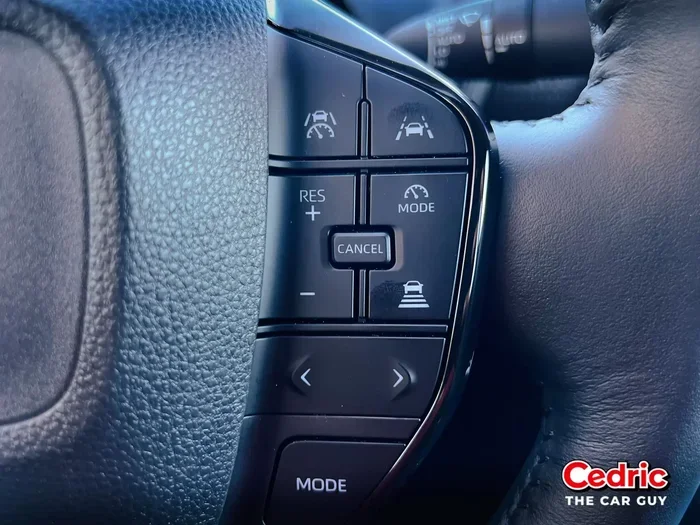
- Use the steering wheel arrows to navigate to the “Maintenance” menu on the display.
- Press and hold the “OK” or “Reset” button.
- Hold for about 5 to 10 seconds.
- The maintenance reminder should reset and turn off.
If you are not sure where the menu is, check your owner’s manual. The exact steps can vary slightly between Nissan models.
Method 4: Reset Using the Odometer Button (Ford and Mazda)
For Ford and Mazda vehicles, the process typically looks like this:
- Turn the ignition to the “ON” position without starting the engine.
- Locate the trip odometer button on your dashboard or steering wheel.
- Press and hold the button.
- While holding it, turn the ignition off and then back to “ON.”
- Hold the button for about 10 seconds.
- The maintenance light should flash and then turn off.
Method 5: Use an OBD-II Scanner
If the button method does not work for your car, an OBD-II scanner is your best friend. This small device plugs into the diagnostic port under your steering column. Here is what to do:
- Find your car’s OBD-II port. It is usually under the dash on the driver’s side.
- Plug the scanner into the port.
- Turn the ignition to “ON.”
- Follow the scanner’s on-screen instructions to clear the maintenance code.
- Once cleared, the maint reqd light should go off.
OBD-II scanners are affordable and very useful tools to keep in your glove box. They can also help you read other diagnostic codes. If you do not want to buy one, many auto parts stores offer free scanning services.
Method 6: Visit a Dealer or Mechanic
Sometimes, the simplest solution is to let a professional handle it. If you have tried all the methods above and the light will not go off, take your car to a dealer or trusted mechanic. They have professional diagnostic tools that can reset the light quickly. Many shops will do this for free or for a very small fee.
When You Should Ignore the Maint Reqd Light (and When You Should Not)
The maint reqd light is not a dangerous warning. You do not need to pull over immediately. However, that does not mean you should ignore it forever. Here is a simple guide to help you decide.
When It Is Safe to Drive
- The light is on but your car is running normally.
- You have not noticed any unusual sounds or smells.
- You just need to schedule an oil change within the next few hundred miles.
- You are driving to a nearby service center or dealership.
In these situations, you have a little flexibility. You can drive safely for a short time while you plan your next service visit.
When You Should Act Immediately
- The maint reqd light is flashing instead of staying solid.
- You also see the check engine light or oil pressure warning.
- Your car is making strange noises or running rough.
- You have gone well past the recommended service interval.
If any of these apply to you, do not wait. Get your car serviced as soon as possible. Skipping oil changes for too long can cause engine wear and expensive repairs down the road.
Preventing the Maintenance Required Light from Coming Back
Once you have successfully reset the maint reqd light, you probably want to keep it off. Here are some tips to help you do that.
Keep Up with Your Oil Change Schedule
The most important thing you can do is stay on top of your oil changes. Check your owner’s manual for the recommended interval. Most cars need an oil change every 5,000 to 7,500 miles for conventional oil. Synthetic oil can last longer, sometimes up to 10,000 miles. Use a mileage tracker or a phone app to remind you when your next service is due.
Reset the Light After Every Oil Change
Make it a habit to reset the maintenance light yourself after every oil change. Do not assume the mechanic will do it. Some shops forget, especially during busy days. Taking a few extra seconds to reset it yourself ensures the light stays off until your next service is actually due.
Use Quality Oil and Filters
Using the right oil and filter for your vehicle helps your oil life system work properly. Cheap or wrong-grade oil can degrade faster, causing the system to trigger the reminder sooner. Always check your owner’s manual for the recommended oil weight and specification.
Monitor Your Oil Life Percentage
If your car shows an oil life percentage on the dashboard, keep an eye on it. When it drops to 15% or 20%, it is time to start planning your next oil change. This gives you plenty of time to book a service appointment without the light catching you off guard.
Keep Your Electrical System Healthy
Battery issues can trigger the maint reqd light unexpectedly. Make sure your battery terminals are clean and tight. If your battery is more than three to five years old, consider having it tested at your next service visit. A healthy electrical system keeps all your car’s systems running smoothly, including the maintenance reminder.
Expert Insights on the Maint Reqd Light
We spoke with several experienced auto technicians about the maint reqd light. Here is what they had to say.
“The maint reqd light is the simplest reminder in your car,” says Mike, a certified mechanic with over 15 years of experience. “It does not mean anything is wrong. It just means it is time for routine service. Most drivers can reset it themselves in under two minutes once they know the steps for their specific car.”
“The biggest mistake I see is drivers ignoring the light for thousands of miles,” adds Sarah, an automotive service advisor. “While the light itself is not harmful, the missed maintenance can be. Regular oil changes are the single most important thing you can do for your engine.”
“If your light keeps coming back after resetting,” warns David, a dealership service manager, “there may be an underlying issue with the oil life sensor or a software glitch. In that case, it is worth having a professional take a look.”
Common Mistakes People Make When Trying to Reset the Light
Even though resetting the maint reqd light is usually straightforward, people do make mistakes. Here are some common ones to avoid:
- Holding the button for too short a time. You need to hold the button long enough for the system to register the command. Usually 10 to 15 seconds is the sweet spot.
- Starting the engine during the reset process. Most methods require the ignition to be in the “ON” position, not the “START” position. Starting the engine can interrupt the reset sequence.
- Using the wrong button. Every car uses a different button or knob for the reset. Check your owner’s manual to make sure you are pressing the right one.
- Resetting without actually getting the oil changed. This is the most important mistake to avoid. The light exists for a reason. Resetting it without servicing your car just delays necessary maintenance.
- Assuming all car brands use the same method. Toyota and Honda reset methods are different. Always follow the procedure specific to your car’s make and model.
Avoiding these mistakes will save you time and frustration. It will also ensure that your car gets the proper maintenance it needs.
Quick Tips for a Smooth Reset
- Have your owner’s manual handy. It is the best resource for your specific car’s reset procedure.
- Make sure your car is parked safely. Do not attempt the reset while driving.
- Work in a well-lit area. You need to see the dashboard display clearly.
- Be patient. If the light does not go off on the first try, try again. It sometimes takes a second attempt.
- Write down the steps that work for your car. This way, you will remember them next time.
- Keep a note in your glove box. Write the reset steps for your specific car model and store them there for future reference.
Frequently Asked Questions
Can I drive with the maint reqd light on?
Yes, you can safely drive with the maint reqd light on for a short period. The light is a reminder, not a serious warning. However, you should schedule an oil change or service appointment soon. Driving for extended periods without service can lead to engine wear over time.
How long can I drive after the maint reqd light comes on?
Most cars allow you to drive 500 to 1,000 miles after the light comes on without any issues. But do not push it too far. The light is designed to remind you before you hit a critical service interval. Use it as a prompt to book your next oil change.
Will the maint reqd light reset itself after an oil change?
In some newer car models, the light resets automatically after a service visit. However, many vehicles require a manual reset. Always check with your service advisor or reset it yourself after an oil change to make sure the light is off.
What if the maint reqd light keeps coming back after I reset it?
If the light returns shortly after resetting, there may be an issue with your oil life monitoring system. It could also indicate that the oil sensor needs replacement. Take your car to a mechanic to diagnose the problem if this happens repeatedly.
Do I need any special tools to reset the maint reqd light?
For most cars, you do not need any special tools. You can reset the light using buttons on your steering wheel or dashboard. However, an OBD-II scanner can be helpful if the standard method does not work. These scanners are affordable and widely available.
Is it bad to reset the maint reqd light without changing the oil?
Resetting the light without changing the oil does not harm your car directly. But it does silence the reminder that your car needs service. Delaying an oil change can lead to dirty oil, reduced engine performance, and potential long-term damage. Always reset the light only after your car has been properly serviced.
Conclusion
Now you know exactly how to get the maint reqd light off and keep it from bothering you again. The process is straightforward for most vehicles, and you can do it yourself in just a few minutes. Remember that this light is simply a maintenance reminder. It is not a sign of a broken car. Still, you should always follow through with the service it is prompting you to get.
Regular oil changes and routine maintenance are the best ways to keep your car running smoothly and your dashboard free of annoying lights. Keep track of your mileage, reset the light after every service, and stay on top of your car’s maintenance schedule. Your car will thank you with better performance and a longer lifespan.
Take a few minutes today to learn the reset method for your specific car. Write it down and keep it in your glove box. The next time that little “MAINT REQD” message appears, you will know exactly what to do. You have got this.