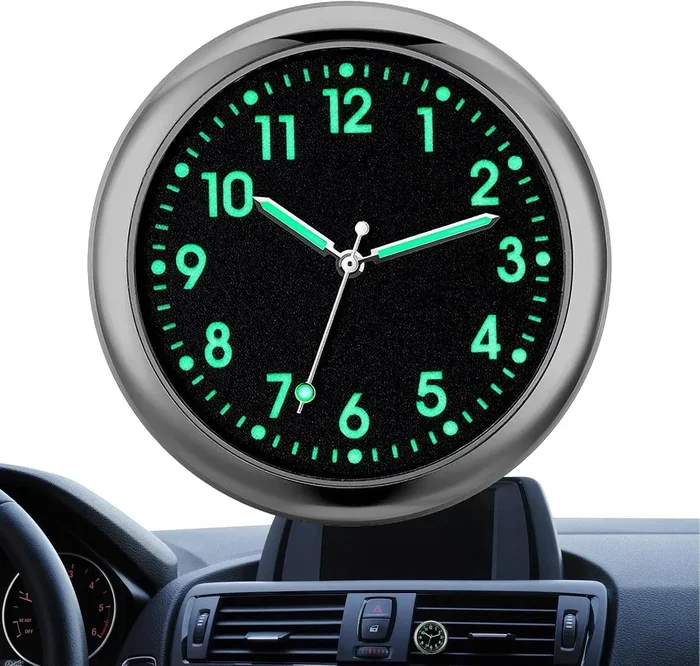
How Do I Change the Hour on My Car Clock Step by Step
Changing the hour on your car clock is simpler than you think. Whether you drive a sedan, SUV, or truck, this guide walks you through every method step by step. You will learn how to adjust the time on digital displays, analog clocks, and modern infotainment systems with ease.
Have you ever glanced at your dashboard and realized your car clock is showing the wrong hour? It happens to the best of us. You are driving down the road, running late for an appointment, and your vehicle clock is off by two or three hours. It is frustrating, but the good news is that fixing it is usually quick and easy.
In this guide, we will walk you through how to change the hour on my car step by step. We cover every method, every brand, and every common issue you might run into. Whether your car has a digital clock, an analog clock, or a fancy infotainment system, you will find the answer here. Let us get your time display set correctly.
Key Takeaways
- Multiple methods exist: You can adjust your car clock using steering wheel buttons, the infotainment screen, or the manual dial on the dash.
- Brand-specific steps differ: Toyota, Honda, Ford, and BMW each have unique procedures for changing the hour.
- Common mistakes slow you down: Forgetting to hold the reset button or confusing AM/PM are the top errors drivers make.
- Automatic time sync is a game changer: Many newer vehicles update the clock on their own using GPS and cellular signals.
- A dead clock battery can cause issues: If your clock resets every time you turn off the car, the battery may need replacing.
- Quick tips save time: Keeping your owner’s manual handy and knowing your model number makes the process faster.
📑 Table of Contents
- Why Your Car Clock Might Need Adjusting
- How to Change the Hour on Common Car Models
- Adjusting the Clock in Popular Car Brands
- Troubleshooting Common Car Clock Issues
- Tips to Keep Your Car Clock Accurate
- Expert Insights on Car Clock Maintenance
- Common Mistakes to Avoid When Adjusting Your Car Clock
- Final Thoughts
Why Your Car Clock Might Need Adjusting
Before we dive into the steps, it helps to understand why your car clock might be wrong in the first place. Several things can cause the time to drift or reset unexpectedly.
First, a dead or weak battery is a common culprit. When you disconnect your battery or it dies completely, the time settings often reset to a default value. Second, some older vehicles use a simple quartz clock mechanism that loses or gains a few minutes each month. Third, if you recently moved to a new time zone, you will need to update the clock settings manually.
Fourth, software glitches in modern car infotainment systems can cause the display to show incorrect time. Fifth, daylight saving time changes catch many drivers off guard. Understanding these causes helps you prevent the problem from happening again.
Common Reasons Your Car Clock Shows the Wrong Time
- Battery disconnect or death: The clock loses power and resets to a factory default.
- Time zone change: You moved or traveled and forgot to update the settings.
- Daylight saving time: The clock did not switch automatically.
- Software glitch: The infotainment system needs a reboot or update.
- Aging clock mechanism: Older analog clocks drift over time.
- Aftermarket stereo installation: A new stereo may reset the original clock settings.
How to Change the Hour on Common Car Models
Now let us get into the actual steps. How do I change the hour on my car? The answer depends on your vehicle type. Most cars fall into one of three categories: those with steering wheel controls, those with a dash-mounted dial, and those with a touchscreen infotainment system.
Method 1: Using Steering Wheel Buttons
Many cars let you adjust the car clock using buttons on the steering wheel. Look for buttons labeled “Set,” “Mode,” or “Adjust.” Usually, you hold down one button and use the arrow buttons on the other side to change the hour.
Here is a simple process to follow:
- Press and hold the “Set” or “Adjust” button for three to five seconds.
- The hours digit on the display will start flashing.
- Use the up or down arrow to change the hour.
- Press “Set” again to confirm the new hour.
- Repeat the process for minutes if needed.
This method works on many Toyota, Honda, and Nissan models. If your steering wheel controls do not seem to work, check your owner’s manual for the exact button combination.
Method 2: Using a Dash-Mounted Dial or Knob
Older vehicles often have a physical knob or dial near the dashboard display. This dial might control the radio, but it can also control the clock settings. Look for a small button or tab next to the dial that switches it to clock mode.
Once in clock mode, turn the dial to adjust the hour. Push the dial in to confirm. This method is straightforward and does not require any buttons on the steering wheel. It is one of the easiest ways to adjust clock settings on classic vehicles.
Method 3: Using the Infotainment Touchscreen
Modern vehicles come with large touchscreen displays that control almost everything, including the car clock. The exact path varies by brand, but here is a general process that works for most infotainment systems:
- Tap the “Settings” or “Menu” icon on the home screen.
- Look for “Vehicle Settings,” “Clock,” or “Time & Date.”
- Select “Adjust Time” or “Change Hour.”
- Use the on-screen arrows or type in the new hour.
- Tap “Save” or “Confirm” to apply the changes.
Some vehicles also let you toggle between a 12-hour format and a 24-hour format in this menu. Make sure you select the right one so your time display shows AM or PM correctly.
Adjusting the Clock in Popular Car Brands
Every car brand has its own quirks. Here is a closer look at how to change the hour on my car for some of the most popular brands on the road today.
Toyota and Lexus
In most Toyota and Lexus vehicles, you can adjust the clock using the steering wheel controls. Press and hold the “Set” button until the display enters clock mode. Use the up and down buttons to change the hour. On newer models with a touchscreen, go to Settings > Vehicle > Clock and adjust from there.
Toyota vehicles also offer an automatic time update feature in some models. This uses GPS data to keep your car clock accurate without any manual input.
Honda and Acura
Honda vehicles typically use a combination of steering wheel buttons and the instrument cluster display. Press the “Sel” or “Reset” button to enter the clock menu. Use the seek/track buttons to adjust the hour. On Honda models with a touchscreen, navigate to Settings > Time > Adjust.
Acura vehicles follow a similar process but may require you to press and hold the “Clock” button on the audio system for a few seconds.
Ford and Lincoln
Ford vehicles with a digital cluster usually have a “Menu” button on the steering wheel. Navigate to “Settings” > “Clock” > “Adjust Time.” Use the up and down arrows to change the hour and press “OK” to confirm.
Ford’s SYNC infotainment system also lets you set automatic time zone detection in many models. This feature uses your phone’s location data to keep the vehicle clock accurate.
BMW and Mercedes-Benz
Luxury brands like BMW and Mercedes-Benz often have more complex infotainment systems. In BMW vehicles, you can adjust the clock through the iDrive controller. Go to Settings > Vehicle > Time/Date and use the rotary dial to change the hour.
Mercedes-Benz vehicles use the central touchscreen or the steering wheel keypad. Navigate to Settings > Display > Time and adjust accordingly. Both brands offer automatic clock sync features that update the time based on your location.
Troubleshooting Common Car Clock Issues
Sometimes adjusting the car clock is not as simple as pressing a few buttons. Here are some common problems and how to fix them.
The Clock Resets Every Time I Turn Off the Car
If your digital clock resets to a default time every time you start the vehicle, the issue is likely a weak or dying battery. The clock battery is a small coin-cell battery on your car’s main circuit board. Replacing this battery usually fixes the problem. You can find the exact battery type in your car manual.
The Hour Will Not Change
If the hour digit will not move when you press the buttons, try these steps. First, make sure you are in clock adjustment mode. The hour digit should be flashing. Second, try holding the “Set” button for a longer period, sometimes up to ten seconds. Third, disconnect and reconnect the car battery to reset the system. If none of these work, the infotainment unit may need a software update.
The Clock Shows the Wrong Time Zone
If your car clock is off by exactly one or more hours, the time zone setting may be incorrect. Go into your vehicle settings and check the time zone option. Select your current region or city. Many modern cars also let you turn on automatic time zone detection, which uses GPS to set the correct zone.
The Display Is Dim or Unreadable
Sometimes the problem is not the time but the display itself. If the dashboard clock is too dim to read, check your display brightness settings. In the vehicle settings menu, look for a “Display” or “Brightness” option and increase it. If the display is completely black, the instrument cluster may need professional inspection.
Tips to Keep Your Car Clock Accurate
Once you have your car clock set correctly, you want to keep it that way. Here are some simple tips that make a big difference.
- Check the time regularly: Get in the habit of glancing at your dashboard display every few days to make sure it is still accurate.
- Enable automatic updates: If your vehicle supports GPS time sync or cellular time updates, turn this feature on. It saves you from manual adjustments.
- Replace the clock battery: Every two to three years, consider replacing the small backup battery that powers the clock settings when the car is off.
- Keep your owner’s manual accessible: Store a digital copy of your car manual on your phone. It makes troubleshooting much faster.
- Update your infotainment software: Manufacturers release software updates that fix bugs and improve clock accuracy. Check for updates regularly.
- Note your time zone after travel: If you drive across state lines or into a different time zone, reset your clock as soon as you arrive.
Quick Tip: If you are ever unsure about your specific model, search online for “[your car brand] [your model year] clock adjustment.” You will find quick video tutorials and step-by-step guides tailored to your exact vehicle.
Expert Insights on Car Clock Maintenance
Automotive experts agree that maintaining your car clock is more important than most drivers realize. A correct time display helps you arrive on time and keeps your trip computer and scheduling features running accurately.
Many modern vehicles now come with smart clock features that connect to your smartphone and update automatically. These connected vehicle systems use cellular networks and GPS satellites to stay synced with the exact time. If your car has this feature, you rarely need to adjust the clock manually.
For older vehicles without smart features, the mechanical or quartz clock mechanism will need periodic attention. Experts recommend checking your analog clock accuracy once a month and comparing it to your phone or a known accurate time source. If it drifts more than a minute or two per week, it may be time to replace the clock mechanism entirely.
Also, keep in mind that aftermarket accessories like GPS trackers, dash cams, and phone chargers can sometimes interfere with your car clock if they draw power from the same circuit. If you notice time issues after installing a new accessory, consider having a professional check the wiring.
Common Mistakes to Avoid When Adjusting Your Car Clock
Even when the process is simple, drivers make avoidable mistakes. Here are the ones to watch out for.
- Confusing AM and PM: This is the most common mistake. Always double-check whether your clock shows AM or PM before confirming the new hour.
- Not holding the button long enough: Many drivers tap the “Set” button briefly and wonder why nothing happens. Hold it for at least three seconds.
- Forgetting to save: Some infotainment systems require you to tap “Save” or “Confirm” after making changes. If you skip this step, your changes will not stick.
- Ignoring the owner’s manual: Every car model has its own quirks. Your manual is the best resource for exact instructions.
- Assuming all cars work the same way: A Toyota and a BMW have very different clock adjustment processes. Always look up your specific model.
Final Thoughts
Knowing how to change the hour on my car is a basic skill every driver should have. It takes just a few minutes and can save you from being late or confused about the actual time. Whether you use steering wheel buttons, a dash dial, or a touchscreen menu, the process is straightforward once you know the steps.
Remember to check your car clock regularly, especially after a battery change or a trip to a new time zone. Enable automatic updates if your vehicle supports them. And if something goes wrong, refer back to this guide or your owner’s manual for help.
Your vehicle clock is one of those small features you do not think about until it is wrong. Now that you know how to fix it quickly, you can keep your daily schedule on track and drive with confidence. Take a few minutes today to check your dashboard display and make any needed adjustments. Your future self will thank you.
Frequently Asked Questions
How do I change the hour on my car if the buttons do not work?
Try holding the “Set” button for a longer period, usually five to ten seconds. If that does not work, check your car manual for the correct button combination. You can also try disconnecting and reconnecting your car battery to reset the system. If none of these work, the infotainment unit may need a software update or professional inspection.
Can I change the car clock from 12-hour to 24-hour format?
Yes, most vehicles allow you to switch between 12-hour format and 24-hour format. Look for this option in your vehicle settings menu under “Clock” or “Display.” On infotainment systems, the option is usually found in Settings > Time > Format.
Why does my car clock keep resetting to the wrong time?
This is usually caused by a weak or dead clock battery in your vehicle. The small backup battery maintains the time settings when the car is off. Replacing this battery is inexpensive and often solves the problem. If the issue persists, check for a software glitch in your infotainment system.
Do all cars have the same clock adjustment process?
No, every car model has a different process. Steering wheel buttons, dash dials, and touchscreen menus all work differently. Always refer to your specific car manual or look up instructions for your exact make and model online.
How can I make my car clock update automatically?
Many newer vehicles offer automatic time sync through GPS or cellular connections. Check your vehicle settings for options like “Auto Time Zone” or “GPS Time Update.” If your car does not support this, you can use a Bluetooth connection to sync time from your smartphone in some models.
Is it safe to adjust the car clock while driving?
It is best to pull over or adjust the clock when the car is parked. While some vehicles let you make quick changes at a stoplight, adjusting time settings while driving can distract you from the road. Safety always comes first.
=== CONCLUSION ===
How do I change the hour on my car? Now you have all the answers you need. From steering wheel buttons to touchscreen menus, you can adjust your car clock in just a few simple steps. Remember to check your time settings regularly, enable automatic updates when possible, and replace your clock battery every few years. With this guide, you are equipped to handle any car clock issue that comes your way. Keep your time accurate and your drives stress-free.