Does Tesla Auto Lock When You Walk Away from the Car
Yes, Tesla auto locks when you walk away from the car — but only if you enable the walk-away door lock feature. This Tesla auto lock system uses your phone key or key fob to detect when you’ve left the vehicle and automatically locks all doors. It works across the Model 3, Model Y, Model S, and Model X with passive entry technology. Understanding how this feature works helps you keep your Tesla secure and worry-free.
You walk out of your Tesla, close the door, and head to your next destination. A few seconds later, you hear a soft click. Your Tesla just auto locked itself. It is one of those small things that make owning a Tesla feel effortless and smart.
But does this happen every time? And more importantly, how does Tesla auto lock actually work? Whether you own a Model 3, Model Y, Model S, or Model X, understanding your car’s locking behavior is essential. It keeps your vehicle secure and gives you peace of mind every time you step away.
In this guide, we will break down everything you need to know about Tesla walk away door lock. We will cover how the system works, which models support it, what settings you need to check, and how to troubleshoot common issues. By the end, you will know exactly what your Tesla does when you walk away.
Key Takeaways
- Tesla auto locks automatically when you walk away, provided the walk-away door lock feature is enabled in settings.
- The feature uses your phone key or key fob’s proximity sensor to detect when you’ve moved away from the car.
- You can toggle walk-away door lock on or off for each key card, phone key, or key fob individually.
- Tesla auto lock works across all current models, including Model 3, Model Y, Model S, and Model X.
- If your Tesla doesn’t auto lock, common fixes include checking Bluetooth connectivity, updating software, and resetting the key.
- The Tesla mobile app lets you manually lock or unlock your car from anywhere as a backup.
- Disabling auto lock may cause doors to stay unlocked, which poses a vehicle security risk.
📑 Table of Contents
How Does Tesla Auto Lock Work?
The Tesla auto lock system relies on a technology called passive entry. This feature lets your Tesla detect your phone key or key fob from a distance. When you approach the car, it unlocks automatically. When you walk away, it locks the doors behind you.
Here is how the process works step by step:
- Your phone or key fob sends a low-energy Bluetooth signal.
- The Tesla detects this signal using its proximity sensor system.
- When you walk beyond a certain range, the car registers that you have left.
- The doors lock automatically after a short delay.
- You may also see the lights flash or hear a chime confirming the lock.
This entire process happens in the background. You do not need to press any button or open the app. The Tesla wireless key handles everything seamlessly. It is one of the reasons Tesla owners love the convenience of their vehicles.
The Role of the Phone Key
Most Tesla owners use their phone as the primary key. The phone key uses Bluetooth and Ultra-Wideband (UWB) technology on supported models. This gives your Tesla a very accurate sense of where you are. If your phone is still inside the car, the doors will not lock. But once you carry it out, the Tesla auto lock feature kicks in.
Make sure your phone battery is not completely dead. A dead phone means the Tesla cannot detect your key. In that case, you may need to use the Tesla key card or the physical mechanical key to lock the car manually.
The Role of the Key Fob and Key Card
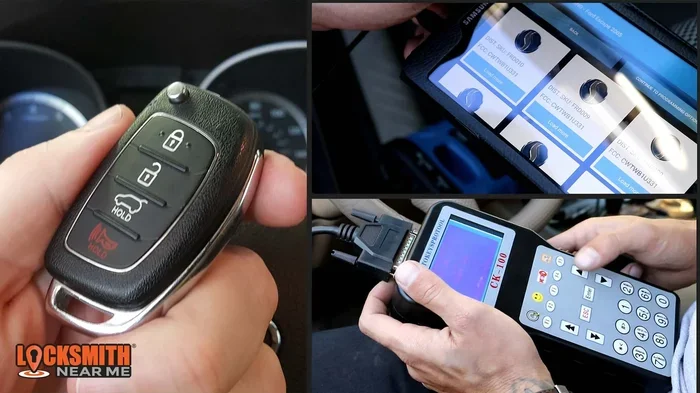
If you use a Tesla key fob, the auto lock feature works similarly. The fob communicates with the car through Bluetooth. Some owners prefer the key fob because it does not depend on a phone battery. The Tesla key card also works for locking, but it does not support passive entry in the same way.
You can pair multiple keys to one Tesla. Each key can have its own walk-away door lock setting. This is helpful if you share the car with family members or roommates.
Walk-Away Door Lock Settings
Not every Tesla has walk-away door lock turned on by default. You may need to check your settings to make sure it is active. The good news is that enabling or disabling this feature is very simple.
Here is how you can find the setting:
- Tap the Tesla icon on your touchscreen.
- Go to Controls.
- Select Locks.
- Look for Walk-Away Door Lock.
- Toggle it on or off.
When walk-away door lock is turned on, your Tesla will auto lock after you walk away. When it is off, the doors will stay unlocked until you manually lock them. Some owners prefer to keep it off because they want quick access to the car without waiting for the unlock signal.
Customizing Lock Behavior for Each Key
Tesla lets you customize lock behavior for each individual key. This means you can set one key to auto lock and another to stay on manual lock. This is useful in households where different people have different preferences.
To adjust settings for a specific key:
- Go to Controls on the touchscreen.
- Tap Locks.
- Select the key you want to customize.
- Toggle walk-away door lock for that key.
This level of customization is one of the things that makes Tesla’s vehicle security system stand out. You get control over who can access the car and how the locking system behaves.
What Happens When Walk-Away Lock Is Disabled?
If you turn off walk-away door lock, your Tesla will not lock automatically. The doors will remain unlocked after you open them. You will need to press the lock button on the touchscreen, use the mobile app, or use the key fob to lock the car.
Some owners disable auto lock for short trips around the neighborhood. They want to be able to jump back in quickly. However, leaving your Tesla unlocked in a public space is not recommended. It increases the risk of theft or vandalism.
Tesla Auto Lock Across Different Models
All modern Tesla vehicles support Tesla auto lock with walk-away door lock. However, the experience can vary slightly depending on the model and the year. Let us look at how it works across the lineup.
| Model | Walk-Away Door Lock | Passive Entry | Phone Key Support |
|---|---|---|---|
| Model 3 | Yes | Yes | Yes |
| Model Y | Yes | Yes | Yes |
| Model S | Yes | Yes | Yes |
| Model X | Yes | Yes | Yes |
Every Tesla model released in recent years includes passive entry and walk-away door lock. Older models may need a software update to get the latest features. If you are unsure, check with your Tesla service center or look in the software settings on your touchscreen.
Model 3 and Model Y
The Model 3 and Model Y are the most popular Teslas on the road. Both models fully support Tesla auto lock with walk-away door lock. The experience is smooth and reliable. You walk away, the car locks, and you are on your way.
These models also support Tesla phone key using Ultra-Wideband technology on newer hardware. This means the car knows exactly where your phone is, making the auto lock feature even more accurate.
Model S and Model X
The Model S and Model X are the flagship models. They also support walk-away door lock without any issues. These larger vehicles have more doors, so the auto lock feature is especially useful. You do not have to worry about forgetting to lock the back doors or the falcon-wing doors on the Model X.
Common Issues and Troubleshooting
Even though Tesla auto lock is designed to work flawlessly, sometimes things go wrong. Maybe your car does not lock when you walk away. Or maybe it locks when you are still standing next to it. Let us look at the most common issues and how to fix them.
Tesla Does Not Auto Lock When Walking Away
If your Tesla does not lock when you walk away, the first thing to check is the walk-away door lock setting. Make sure it is turned on in the Locks menu. If it is already on, try the following steps:
- Check that your phone or key fob has enough battery.
- Make sure Bluetooth is enabled on your phone.
- Restart your Tesla by holding both scroll wheels on the steering wheel.
- Update your Tesla software to the latest version.
- Remove and re-add your phone key in the settings.
Sometimes a simple software glitch can prevent the auto lock from working. A reboot usually fixes the problem. If it does not, a software update often does the trick.
Tesla Locks When You Are Still Near the Car
On the flip side, some owners report that their Tesla locks too early. This can happen if the Bluetooth signal is weak or if there is interference from other devices. Moving your phone to a different pocket or bag can help. You can also try resetting the Tesla wireless key connection.
Doors Unlock After Locking
In rare cases, your Tesla may lock and then unlock again shortly after. This usually happens when the car detects your key is still nearby. Check if your phone is in a faraday pouch or if Bluetooth is connected to another device. Also, make sure no one else with a paired key is still near the car.
Tips to Get the Most Out of Tesla Auto Lock
Want to make sure your Tesla auto lock system works perfectly every time? Here are some practical tips that will help.
Keep Your Phone Key Charged
Your phone is the primary key for most Tesla owners. If the battery dies, the car cannot detect it. Keep your phone charged, especially on long trips. Carry your Tesla key card as a backup just in case.
Enable Sentry Mode for Extra Security
Sentry Mode uses your Tesla cameras to monitor the area around your car. When someone gets too close, the system records video. This pairs well with Tesla auto lock because your car is already locked and monitoring its surroundings.
Use the Tesla Mobile App as a Backup
The Tesla mobile app is a powerful tool. You can lock or unlock your car from anywhere. If auto lock does not work for some reason, open the app and tap the lock icon. Your car will lock instantly.
Regularly Update Your Tesla Software
Tesla releases software updates frequently. These updates often include improvements to the locking system. Keeping your car updated ensures the best performance from Tesla auto lock and all other features.
Be Aware of Dog Mode and Camp Mode
If you use Dog Mode or Camp Mode, your Tesla may behave differently when it comes to locking. In some cases, the car stays unlocked to allow ventilation. Make sure you understand how these modes interact with your auto lock settings before you walk away.
Tesla Auto Lock vs. Manual Locking
Some Tesla owners prefer to lock their car manually. They press the button on the touchscreen or use the key fob. Others rely entirely on Tesla auto lock. Both approaches have their pros and cons.
Benefits of Auto Lock
- Convenience. You do not have to think about locking the car.
- Security. The car locks itself every time you walk away.
- Consistency. You never forget to lock the doors.
- Integration. Works seamlessly with phone key and key fob.
Benefits of Manual Locking
- Control. You decide exactly when the car locks.
- No accidental locks. You avoid locking your keys inside the car.
- Flexibility. Useful when you need quick access to the car again.
Most Tesla owners find that auto lock is the better option for daily use. It removes a small but annoying task from your routine. Manual locking is still useful in specific situations, like when you are loading items into the trunk.
Expert Insights on Tesla Auto Lock
According to Tesla service advisors, the walk-away door lock feature is one of the most used and appreciated settings among owners. It adds a layer of security without requiring any effort from the driver.
Security experts also recommend keeping auto lock enabled at all times. An unlocked Tesla parked in a public area is an easy target for theft. The Tesla auto lock feature ensures your car is always secure the moment you step away.
One thing to keep in mind: Tesla auto lock relies on Bluetooth connectivity. If you are in an area with heavy Bluetooth interference, the system may not work as expected. This is rare, but it is worth knowing about.
Key Takeaways
- Tesla auto locks automatically when you walk away, provided the walk-away door lock feature is enabled in settings.
- The feature uses your phone key or key fob’s proximity sensor to detect when you have left the vehicle.
- You can toggle walk-away door lock on or off for each key card, phone key, or key fob individually.
- Tesla auto lock works across all current models, including Model 3, Model Y, Model S, and Model X.
- If your Tesla does not auto lock, common fixes include checking Bluetooth connectivity, updating software, and resetting the key.
- The Tesla mobile app lets you manually lock or unlock your car from anywhere as a backup.
- Disabling auto lock may cause doors to stay unlocked, which poses a vehicle security risk.
Conclusion
The answer to the question is clear: yes, Tesla auto locks when you walk away from the car. The walk-away door lock feature is one of the most convenient and security-focused features Tesla offers. It works across all models and uses your phone key or key fob to detect when you have left the vehicle.
Make sure the feature is enabled in your settings. Keep your phone charged and your Tesla software updated. These simple steps will ensure your Tesla auto lock system works perfectly every time you step away from your car.
Take a moment today to check your lock settings. It takes less than a minute and could save you from the stress of an unlocked car. Embrace the smart, seamless experience that Tesla auto lock provides, and enjoy the peace of mind that comes with knowing your vehicle is always secure.
Frequently Asked Questions
How do I enable walk-away door lock on my Tesla?
Tap the Tesla icon on your touchscreen, go to Controls, select Locks, and toggle on Walk-Away Door Lock. This setting works with your phone key, key fob, or key card.
Does Tesla auto lock work with the key card?
The key card supports basic locking and unlocking, but walk-away door lock works best with the phone key or key fob. The key card does not use passive entry the same way, so auto lock behavior may differ.
Why does my Tesla not lock when I walk away?
This is usually caused by Bluetooth issues, a dead phone battery, or the walk-away door lock setting being turned off. Try restarting your Tesla, updating the software, or re-adding your phone key to fix the problem.
Can I lock my Tesla manually if auto lock is disabled?
Yes. You can lock your Tesla manually using the touchscreen lock button, the key fob, or the Tesla mobile app. Manual locking gives you full control over when the car locks.
Does Tesla auto lock work in cold weather?
Yes, Tesla auto lock works in all weather conditions. However, cold weather can drain your phone battery faster, which may affect the Bluetooth connection. Keep your phone warm and charged for best results.
Is it safe to leave my Tesla unlocked?
Leaving your Tesla unlocked is not recommended, especially in public areas. An unlocked car is vulnerable to theft and vandalism. Always keep walk-away door lock enabled for added security.