Does Tesla Auto Lock And How The Feature Works For You
Yes, Tesla vehicles do auto lock. The Tesla Auto Lock feature automatically locks your doors when you walk away, removing the need to press a button every time. It works with your phone key, key card, or key fob and is available across most Tesla models. You can customize the settings to fit your preferences and turn the feature on or off anytime. Understanding how Tesla Auto Lock works helps you keep your car secure with minimal effort.
Have you ever walked away from your Tesla and wondered if the doors locked themselves? You are not alone. Many Tesla owners ask this question, and the answer is simple. Tesla Auto Lock is a built-in feature that handles the locking process for you. It removes the guesswork and adds a layer of convenience to your daily routine.
In this article, we will break down exactly how Tesla Auto Lock works. We will cover the settings, the different Tesla models, and some practical tips to make the most of this feature. Whether you drive a Model 3, Model Y, Model S, or Model X, this guide has you covered.
Key Takeaways
- Tesla Auto Lock is a standard feature that locks your doors automatically when you walk away from the vehicle.
- The feature works with phone key, key card, and key fob, making it flexible for all Tesla owners.
- You can customize auto lock settings through the Tesla touchscreen or mobile app to match your preferences.
- Tesla Auto Lock integrates with Sentry Mode to boost vehicle security when you are away.
- Some models may behave slightly differently depending on the hardware and software version installed.
- Common issues like delayed locking can often be fixed with simple troubleshooting steps.
- Knowing how the feature works helps you avoid mistakes and get the most out of your Tesla.
📑 Table of Contents
What Is Tesla Auto Lock?
Tesla Auto Lock is a security feature that automatically locks your Tesla doors when you walk away from the vehicle. It uses the key you are carrying, such as your phone or key card, to detect when you have left the area. Once the system senses you are gone, it triggers the door locks without you lifting a finger.
This feature is part of Tesla’s broader approach to smart vehicle design. Tesla wants your car to feel like an extension of your daily life. Tesla Auto Lock fits perfectly into that vision by making security effortless.
Not all auto lock systems are the same. Some cars require you to press a button on the key fob. Others use a proximity sensor to detect when you have moved a certain distance away. Tesla uses a combination of Bluetooth signal strength and sensor data to determine when to lock the doors. This makes the process smooth and reliable.
How Tesla Auto Lock Differs From Traditional Lock Systems
Traditional cars often rely on manual locking. You press a button, hear a click, and confirm the doors are secured. Tesla Auto Lock skips most of that effort. The system monitors your presence and acts on its own. This is a big upgrade for people who tend to rush out the door without checking the locks.
Here are a few ways Tesla Auto Lock stands out:
- Automatic detection – The car knows when you leave and locks itself.
- No extra steps required – You do not need to press any buttons.
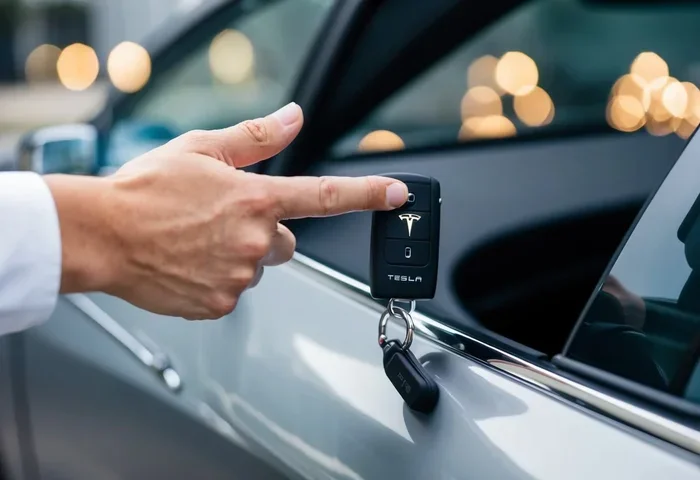
- Works with multiple key types – Phone key, key card, and key fob are all supported.
- Integration with other features – It works alongside Sentry Mode and the mobile app.
How Does Tesla Auto Lock Work?
Understanding how Tesla Auto Lock functions helps you trust the feature. The system relies on a few key technologies working together behind the scenes. Let us walk through the process step by step.
The Role of Your Phone Key
When you set up your Tesla, you can link your phone as a key. The car communicates with your phone using Bluetooth Low Energy. Tesla Auto Lock monitors the Bluetooth signal strength between your phone and the vehicle. When the signal drops below a certain threshold, the system interprets this as you walking away and initiates the lock sequence.
This process usually takes just a few seconds. You walk a few steps away from the car, and the doors click shut. The trunk and frunk may also lock automatically depending on your settings.
Key Card and Key Fob Support
Not everyone uses a phone key. Tesla also supports key cards and key fobs. Tesla Auto Lock works with these devices too. The car uses the same proximity-based logic to detect when the key is no longer nearby. Once the key moves out of range, the vehicle locks itself.
Key cards are especially useful as a backup. If your phone battery dies, you can still unlock and lock the car using the key card. The auto lock feature remains active in this scenario as well.
The Walk-Away Door Lock Mechanism
Tesla Auto Lock is sometimes called the walk-away door lock. This term describes the core behavior. You walk away from the car, and the doors lock automatically. It is that simple.
Here is what happens in the background:
- The car detects that your key is no longer in proximity.
- The system checks if all doors and the trunk are closed.
- If everything is secure, the locks engage automatically.
- A confirmation sound or visual cue lets you know the car is locked.
If a door or the trunk is not fully closed, Tesla will not lock the car. Instead, it will alert you with a chime or a message on the touchscreen. This prevents you from accidentally leaving the vehicle unlocked.
Tesla Auto Lock Settings And Customization
One of the best things about Tesla Auto Lock is that you can control it. Tesla gives you the ability to turn the feature on or off and adjust related settings. This means you are not stuck with a one-size-fits-all experience.
How to Access Auto Lock Settings
You can find the auto lock settings on your Tesla touchscreen. Follow these steps:
- Tap the Controls icon on the home screen.
- Select Safety & Security.
- Look for the Auto Lock option.
- Toggle the switch to turn the feature on or off.
From the same menu, you can also adjust related settings. For example, you can choose whether the mirrors fold automatically when the car locks. You can also set the lock delay, which controls how long the system waits before engaging the locks after you walk away.
Customizing Auto Lock Through the Mobile App
The Tesla mobile app also gives you access to lock settings. You can control Tesla Auto Lock remotely from your phone. This is handy if you forget to check whether the car locked before you left home.
To manage locks through the app:
- Open the Tesla app on your phone.
- Tap the Controls tab.
- Select Locks.
- Toggle Auto Lock on or off.
The app also shows you the current lock status of your vehicle. You can lock or unlock the doors manually with a single tap. This adds an extra layer of control on top of the auto lock feature.
Advanced Lock Settings
Tesla offers several advanced lock settings that work alongside Tesla Auto Lock. These include:
- Lock on Drive – The car locks automatically when you start driving.
- Unlock on Park – The doors unlock when you shift into Park.
- Unlock on Door Handle Touch – Touching the door handle unlocks the car when you approach.
- PIN to Drive – A personal identification number adds extra security before the car can be driven.
These settings give you fine-tuned control over how your Tesla behaves. You can mix and match them to create a locking routine that suits your lifestyle.
Tesla Auto Lock Across Different Models
Tesla Auto Lock is available across the Tesla lineup. However, the experience may vary slightly depending on the model and the hardware version. Let us look at how the feature works on the most popular Tesla vehicles.
Tesla Model 3
The Model 3 is one of the best-selling electric cars in the world. Tesla Auto Lock works seamlessly on this model. The Model 3 uses Bluetooth connectivity to detect your phone key and trigger the auto lock. The feature is available on all trims, including the Standard Range Plus, Long Range, and Performance variants.
Model 3 owners have praised the auto lock feature for its reliability. The system responds quickly and rarely fails to lock the doors when you walk away. The compact size of the Model 3 also makes it easy to test the feature in tight parking spaces.
Tesla Model Y
The Model Y shares many features with the Model 3, and Tesla Auto Lock is no exception. The SUV version of Tesla’s popular sedan offers the same seamless locking experience. The only difference is the slightly larger size, which means you may walk a bit farther away before the system triggers the lock.
Model Y owners who use the vehicle for family trips benefit greatly from auto lock. With kids and gear in the back, the last thing you want is to worry about whether the doors are locked. Tesla Auto Lock handles that concern for you.
Tesla Model S and Model X
The Model S and Model X are Tesla’s flagship vehicles. Both models support Tesla Auto Lock with full functionality. The larger size of these vehicles means the proximity detection range may be slightly different. However, the core experience remains the same.
These models also benefit from additional security features. The Tesla Auto Lock feature integrates with the advanced security systems found in the Model S and Model X. This includes enhanced sensors and more robust locking mechanisms.
| Feature | Model 3 | Model Y | Model S | Model X |
|---|---|---|---|---|
| Auto Lock Supported | Yes | Yes | Yes | Yes |
| Phone Key Integration | Yes | Yes | Yes | Yes |
| Key Card Support | Yes | Yes | Yes | Yes |
| Walk-Away Lock | Yes | Yes | Yes | Yes |
| Mobile App Control | Yes | Yes | Yes | Yes |
| Customizable Lock Delay | Yes | Yes | Yes | Yes |
Common Issues With Tesla Auto Lock
Tesla Auto Lock is a well-designed feature, but like any technology, it can sometimes have issues. Understanding common problems and their solutions helps you stay prepared.
Delayed Locking
Sometimes, the auto lock takes longer than expected to engage. This can happen if your phone is far from the car or if there are obstacles blocking the Bluetooth signal. Walls, large vehicles, and electronic interference can all affect the connection.
If you experience delayed locking, try walking a bit farther from the car. Make sure your phone is not in a metal case or a bag that blocks the signal. Restarting the Tesla system can also help resolve temporary glitches.
Car Does Not Lock at All
In rare cases, Tesla Auto Lock may not engage at all. This usually happens when the system detects that a door or the trunk is not fully closed. Check all doors and the trunk to make sure they are latched properly.
Another common cause is a low phone battery. If your phone battery is critically low, the Bluetooth signal may be too weak for the car to detect. Keep your phone charged to ensure reliable auto lock performance.
False Locks When You Are Still Nearby
Occasionally, Tesla may lock the doors even when you are still close by. This can happen if the Bluetooth signal temporarily drops or if you step behind a large object. The system may interpret this as you leaving the area.
To avoid false locks, keep your phone in a consistent location, such as a jacket pocket or a bag. Avoid placing the phone near metal objects or electronic devices that may interfere with the Bluetooth signal.
Tips To Get The Most From Tesla Auto Lock
Getting the most out of Tesla Auto Lock is easy with a few simple habits. These tips help you stay secure and get the best experience from the feature.
Keep Your Phone Key Close
The auto lock system depends on your phone key being within range. Make it a habit to keep your phone in the same pocket or bag every day. This ensures consistent Bluetooth connectivity and reliable auto lock performance.
Enable Lock on Drive
Pairing Tesla Auto Lock with the Lock on Drive feature adds extra security. When you start driving, the car locks automatically. This means you never have to worry about forgetting to lock the doors while on the road.
Use Sentry Mode for Added Protection
Tesla Auto Lock works especially well when combined with Sentry Mode. Sentry Mode uses the car’s cameras to monitor the surroundings when the vehicle is parked. If someone tries to tamper with the car, Sentry Mode alerts you and records the event.
Together, auto lock and Sentry Mode create a strong security setup. Your car locks itself, and the cameras keep watch. This is one of the best ways to protect your Tesla when it is parked.
Regularly Update Your Tesla Software
Tesla regularly releases software updates that improve the auto lock feature. These updates may fix bugs, improve Bluetooth connectivity, and add new customization options. Keeping your software up to date ensures you always have the latest version of Tesla Auto Lock.
Check Your Lock Settings Periodically
It is a good idea to review your lock settings every few weeks. Make sure auto lock is enabled and that the settings match your preferences. A quick check takes only a minute and prevents unexpected issues.
Use the Mobile App as a Backup
If you ever doubt whether your Tesla locked, open the mobile app. The app shows the current lock status of your vehicle. You can also lock the car manually with a single tap. This is a simple but effective way to add peace of mind.
Expert Insights On Tesla Auto Lock
Tesla Auto Lock has earned praise from owners and automotive experts alike. The feature represents a shift toward smarter, more intuitive vehicle security. Instead of relying on manual actions, Tesla lets the car handle the locking process automatically.
Security professionals also appreciate the integration of auto lock with other Tesla features. The combination of Bluetooth key technology, proximity sensing, and Sentry Mode creates a layered security approach. This is far more advanced than what most traditional cars offer.
However, experts also note that no system is perfect. Bluetooth technology can be affected by interference, and no auto lock system is 100% foolproof. That is why Tesla provides multiple ways to lock and unlock the car, including the mobile app and physical key card.
The key takeaway is that Tesla Auto Lock is a reliable and convenient feature for most users. It works best when combined with good habits, such as keeping your phone charged and checking the lock status occasionally.
Conclusion
Tesla Auto Lock is a smart, convenient, and reliable feature that adds security to your daily routine. It automatically locks your doors when you walk away, so you never have to worry about forgetting to secure your vehicle. The feature works across all Tesla models and supports phone key, key card, and key fob.
You can customize the settings to fit your needs, and the feature integrates seamlessly with other Tesla security tools like Sentry Mode and the mobile app. While occasional issues may arise, most problems are easy to fix with simple troubleshooting.
If you have not yet explored the auto lock settings on your Tesla, now is a great time to do so. Take a few minutes to review the options and find the configuration that works best for you. Tesla Auto Lock is one of those features that you may not think about much until you experience how much easier it makes your life.
Embrace the convenience, stay secure, and let your Tesla handle the locking for you.
Frequently Asked Questions
Does every Tesla model support auto lock?
Yes, Tesla Auto Lock is supported across all current Tesla models, including the Model 3, Model Y, Model S, and Model X. The feature works with phone key, key card, and key fob, making it a standard part of the Tesla experience.
Can I turn off Tesla Auto Lock?
Yes, you can turn off Tesla Auto Lock anytime. Go to Controls, then Safety & Security, on your touchscreen. Toggle the Auto Lock switch off. You can also manage this setting through the Tesla mobile app if you prefer to adjust it remotely.
Why does my Tesla sometimes not lock automatically?
There are a few common reasons for this. A door or the trunk may not be fully closed, which prevents the system from locking. A low phone battery can also weaken the Bluetooth signal. Try checking that all doors and the trunk are closed and keeping your phone charged to resolve most issues.
How long does it take for Tesla Auto Lock to engage?
Tesla Auto Lock typically engages within a few seconds after you walk away from the vehicle. The exact timing depends on how far you move from the car and the Bluetooth signal strength. If you notice delays, make sure your phone is not blocked by metal objects or electronic devices.
Does Tesla Auto Lock work with Sentry Mode?
Yes, Tesla Auto Lock works alongside Sentry Mode to enhance vehicle security. When Sentry Mode is active, the car monitors its surroundings with cameras. The auto lock feature ensures the doors are secured, creating a strong combined security system for your parked Tesla.
Can I lock my Tesla manually if auto lock is turned off?
Absolutely. Even if you turn off Tesla Auto Lock, you can still lock the car manually. Use the touchscreen, the Tesla mobile app, or the key card to lock the doors whenever you need to. The manual lock option gives you full control over your vehicle’s security at all times.