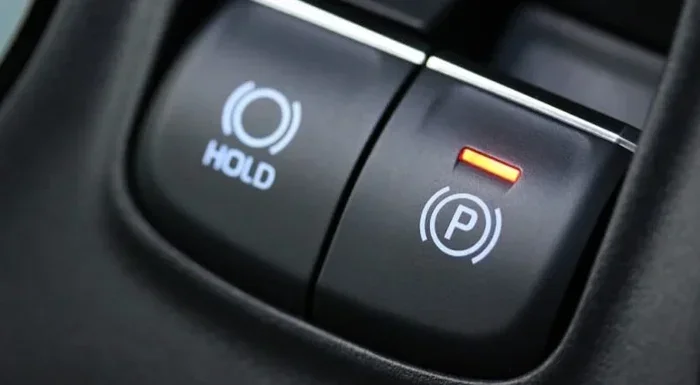
How Do I Turn Off Emergency Braking On My Car Safely
Knowing how to turn off emergency braking on your car safely is essential for every driver. Whether your automatic emergency braking keeps activating unnecessarily or you need to disable it for specific driving conditions, this guide walks you through every step. We cover brand-specific methods, safety considerations, and expert tips to help you manage your vehicle’s braking system with confidence.
You’re driving down the road, everything seems fine, and suddenly your car slams on the brakes for no obvious reason. It’s terrifying. Your heart races. You grip the wheel. And the first thing you think is, “How do I turn off emergency braking?”
If you’ve ever experienced this, you’re not alone. Modern cars come packed with automatic emergency braking systems designed to keep you safe. But sometimes, these systems activate when they shouldn’t. Other times, you may need to disable emergency brake features for specific driving situations. Whatever your reason, this guide will show you exactly how to handle it.
We’re going to walk through every method, every brand, and every safety consideration you need to know. By the end, you’ll feel confident managing your car’s braking system like a pro. Let’s dive in.
Key Takeaways
- Know your system: Understanding how emergency braking works helps you disable it correctly and safely.
- Brand-specific steps matter: Toyota, Honda, Ford, and other brands have unique procedures to turn off emergency braking.
- Safety first: Always consider the risks before disabling automatic emergency braking features.
- Common triggers exist: False activations often stem from sensor issues, weather, or road conditions.
- Temporary vs. permanent: Some methods disable the feature temporarily, while others require permanent settings changes.
- Consult your manual: Your vehicle’s owner manual is the best resource for model-specific instructions.
- Professional help helps: When in doubt, a certified mechanic can assist with emergency braking system adjustments.
📑 Table of Contents
- What Is Emergency Braking and Why Does It Activate?
- How to Turn Off Emergency Braking on Different Car Brands
- Common Reasons Emergency Braking Activates Unexpectedly
- Step-by-Step Guide to Disabling Emergency Braking
- Is It Safe to Turn Off Emergency Braking?
- Expert Tips for Managing Emergency Braking Settings
- Conclusion
What Is Emergency Braking and Why Does It Activate?
Before we get into the “how,” let’s talk about the “what.” Understanding your emergency braking system makes it much easier to manage it. Most modern vehicles come equipped with automatic emergency braking, also known as AEB. This technology uses sensors, cameras, and radar to detect potential collisions.
When the system senses an obstacle ahead, it can apply the brakes automatically. The goal is to either prevent a crash or reduce its severity. It’s a fantastic vehicle safety feature that has saved countless lives.
How the System Works
Your car’s emergency braking system relies on several components working together. Front-facing cameras scan the road ahead. Radar sensors measure distance to objects. The collision avoidance computer processes this data in milliseconds. If it determines a crash is imminent, it triggers the brakes.
Some systems also use forward collision warning to alert you before applying the brakes. This gives you a chance to react yourself. The brake assist technology adds extra stopping power when you press the brake pedal hard.
When Emergency Braking Activates Unnecessarily
Now, here’s where things get tricky. Sometimes the system activates when there’s no real danger. This can happen for several reasons:
- Sensor obstruction: Dirt, snow, or debris on your sensors can confuse the system.
- Weather conditions: Heavy rain, fog, or glare can trick cameras and radar.
- Road geometry: Bridges, tunnels, and sharp curves can cause false readings.
- Stationary objects: Some systems struggle to distinguish between a shadow and an actual obstacle.
- Software glitches: Like any computer system, bugs can cause unexpected behavior.
When this happens repeatedly, it’s natural to want to turn off emergency braking entirely. And in most cases, you can. Let’s look at how.
How to Turn Off Emergency Braking on Different Car Brands
Every car manufacturer handles emergency braking differently. The method to disable auto brake varies from brand to brand. Here’s a breakdown of the most common brands and their specific procedures.
Toyota and Lexus
Toyota vehicles with Pre-Collision System (PCS) offer a way to turn off emergency braking Toyota models. Look for the PCS button on the lower left side of the instrument panel. Press and hold it for about three seconds. You’ll see a warning light on the dashboard. This means the automatic emergency braking has been disabled.
However, Toyota also offers a brake override feature in some models. This allows you to press the accelerator harder than the braking force if the system activates unexpectedly. Check your Toyota owner manual for model-specific details.
Honda and Acura
Honda’s Collision Mitigation Braking System (CMBS) can be turned off using a button on the steering wheel. Look for the CMBS button, usually located on the left side of the steering column. Press it once to toggle the system off. A indicator light will confirm the status.
Some Honda models also allow you to adjust the sensitivity of the system rather than turning it off completely. This is a great middle-ground option if you still want collision avoidance but fewer false activations.
Ford and Lincoln
Ford vehicles with Pre-Collision Assist use a button on the steering wheel to toggle the system. The button typically has an icon showing a car with collision waves. Press it to turn the automatic braking on or off.
Ford also introduced Active Glide and other driver-assist features that interact with the emergency braking system. Always check the Ford owner manual for your specific model year, as procedures can change between generations.
Chevrolet and GMC
General Motors vehicles use Front Automatic Emergency Braking. To disable emergency brake on these models, you typically need to access the settings through the infotainment screen. Go to Vehicle Settings, then Driver Assistance, and toggle the automatic emergency braking option off.
Some older GM models may not have a toggle at all. In those cases, you might need a dealership visit to adjust the settings.
BMW and Mercedes-Benz
Luxury brands like BMW and Mercedes offer more granular control over their emergency braking system. Through the iDrive or MBUX infotainment systems, you can adjust the sensitivity or fully disable the feature. Navigate to Driver Assistance settings and look for Active Braking or Prewarning options.
These vehicles also often include pedestrian detection as a separate toggle. You can choose to keep pedestrian protection active while disabling other automatic braking functions.
Common Reasons Emergency Braking Activates Unexpectedly
Understanding why your emergency braking keeps activating can help you decide whether to turn it off or address the root cause. Here are the most common culprits.
Dirty or Obstructed Sensors
Your car’s sensors need a clear view to work properly. Snow, ice, mud, or even heavy rain can block them. When the sensors can’t see clearly, they may interpret normal road conditions as obstacles. This triggers the emergency brake light on your dashboard and applies the brakes unnecessarily.
Quick Tip: After a snowstorm or a long road trip through dirt roads, give your front sensors a gentle wipe. Most are located behind the front grille or near the rearview mirror.
Software Updates and Glitches
Modern cars run on software. And just like your phone, car software can have bugs. Manufacturers occasionally release braking system updates to fix these issues. If your automatic emergency braking has started acting up recently, check with your dealer for any available updates.
Aftermarket Accessories and Modifications
Have you recently installed a bike rack, roof box, or aftermarket bumper? These can block or alter the way sensors read the road. The emergency braking system may interpret the accessory as an obstacle and trigger a false stop.
Similarly, aftermarket windshields or camera-mounted accessories can interfere with forward collision warning systems. Always check compatibility before installing accessories that affect your sensor lineup.
Low Battery or Electrical Issues
The braking system relies on your car’s electrical system. A weak battery or faulty alternator can cause erratic behavior in automatic braking features. If you notice other electrical issues alongside false braking activations, get your battery checked.
Step-by-Step Guide to Disabling Emergency Braking
Now let’s get practical. Here’s a step-by-step approach to turning off emergency braking safely and effectively.
Step 1: Consult Your Owner Manual
This is the most important step. Your vehicle owner manual contains the exact procedure for your specific model. It also tells you whether your car allows you to disable the feature at all. Some manufacturers lock certain safety features and don’t allow full disabling.
Look for sections titled “Driver Assistance,” “Braking Systems,” or “Safety Features.” The manual will also explain what happens when you disable the system.
Step 2: Find the Toggle or Button
Most cars with automatic emergency braking have a physical button or touchscreen toggle. Check your steering wheel, dashboard, or center console. The button often has an icon that looks like a car with collision waves or a car with brakes applied.
If you can’t find it, try the infotainment system. Navigate through Settings, then Vehicle, then Driver Assistance. The brake override or emergency braking toggle should be there.
Step 3: Confirm the System Is Off
Once you’ve toggled the system off, check your dashboard for confirmation. Most cars display a warning light or message when automatic braking is disabled. This light usually looks like a car with exclamation marks or a brake icon.
If you don’t see a confirmation, try pressing the brake pedal gently. The system should respond differently when it’s off compared to when it’s on.
Step 4: Test in a Safe Environment
Before relying on the disabled state, test it in a safe, empty parking lot. Drive slowly toward a soft barrier (like a stack of cones or a cardboard box). If the system is off, the car should not apply the brakes automatically.
Important: Never test this on public roads or near pedestrians. Safety always comes first.
Step 5: Re-enable When Appropriate
Remember to turn your emergency braking back on when conditions allow. The system is there for a reason. If you disabled it for a specific situation, make sure to reactivate it before driving in busy traffic or unfamiliar areas.
Is It Safe to Turn Off Emergency Braking?
This is the million-dollar question. The short answer is: it depends. Let’s break it down honestly.
When It’s Okay to Disable
There are legitimate situations where you might need to turn off emergency braking:
- Deep snow or mud: When your sensors are completely blocked and causing false activations.
- Towing a trailer: Some systems misinterpret trailer movements as obstacles.
- Off-road driving: Unpredictable terrain can trigger constant false alarms.
- Sensor damage: After a minor accident or sensor replacement, the system may need recalibration.
In these cases, temporarily disabling the feature makes sense. Just remember to turn it back on when conditions improve.
When You Should Keep It On
There are also times when keeping your automatic emergency braking active is crucial:
- Highway driving: High speeds make collision avoidance systems invaluable.
- Busy city traffic: Stop-and-go traffic benefits greatly from brake assist technology.
- Poor visibility: Fog, rain, and nighttime driving are exactly when these systems shine.
- Heavy traffic: Rear-end collisions are the most common type of accident, and AEB helps prevent them.
The National Highway Traffic Safety Administration (NHTSA) strongly recommends keeping automatic emergency braking enabled at all times. Studies show that AEB reduces rear-end collisions by nearly 50 percent.
The Risk of Disabling
When you disable emergency brake features, you take on more responsibility for avoiding collisions. This means your reaction time becomes the only safety net. If you’re tired, distracted, or driving in challenging conditions, disabling AEB can significantly increase your risk.
Always weigh the inconvenience of false activations against the life-saving potential of the system. In most cases, the benefits far outweigh the occasional false alarm.
Expert Tips for Managing Emergency Braking Settings
You don’t always have to choose between full activation and complete disable. Many vehicles offer settings that let you fine-tune your emergency braking system experience.
Adjust Sensitivity Instead of Disabling
Several car manufacturers now allow you to adjust the sensitivity level of your automatic braking system. Instead of turning it off completely, you can set it to a lower sensitivity. This reduces false activations while keeping the core protection active.
Check your infotainment settings for options like “Early,” “Medium,” or “Late” braking response. Some brands call this “Distance Alert” or “Forward Collision Warning Sensitivity.”
Keep Sensors Clean and Maintained
Regular maintenance of your braking system sensors goes a long way. Make it a habit to clean the sensor areas during your regular car wash. In winter, clear snow and ice from the front grille and camera mounts before driving.
If you notice frequent false activations, inspect the sensors for damage or obstruction. A simple cleaning might solve the problem without needing to turn off emergency braking at all.
Stay Updated on Software
Manufacturers continuously improve their collision avoidance software through updates. Some updates are available over-the-air, while others require a visit to the dealership. Keeping your system updated ensures you benefit from the latest improvements in automatic braking accuracy.
Understand Your Dashboard Warnings
Your dashboard communicates a lot about your braking system status. Learn what each warning light means. A yellow brake icon usually indicates a minor issue or disabled feature. A red brake icon often signals a serious problem that needs immediate attention.
If you see a brake warning light that won’t go away, don’t ignore it. Address the issue promptly to keep your vehicle safety features functioning properly.
Know When to Seek Professional Help
If you’ve tried everything and your emergency braking system still activates incorrectly, it’s time to see a professional. A certified mechanic or dealership technician can diagnose sensor issues, software problems, and wiring faults that aren’t visible to the naked eye.
Don’t attempt to modify or bypass the braking system yourself. Brakes are safety-critical components, and improper handling can create dangerous situations.
Conclusion
Learning how to turn off emergency braking on your car safely gives you more control over your driving experience. Whether you need to disable the feature temporarily or adjust its sensitivity, the steps are straightforward for most modern vehicles.
Start by consulting your owner manual. Find the toggle or button specific to your brand. Confirm the system is off using your dashboard indicators. And always remember to re-enable the system when conditions are safe again.
The emergency braking system is one of the most important safety features in your car. Use it wisely, keep it maintained, and enjoy the peace of mind that comes with knowing your vehicle has your back. Drive safe, stay alert, and never hesitate to seek professional help when something doesn’t feel right.
Frequently Asked Questions
Can I permanently turn off emergency braking on my car?
Most vehicles allow you to temporarily disable automatic emergency braking, but permanently turning it off is not recommended and sometimes not possible. Many manufacturers design their systems so that AEB reactivates each time you start the car. Check your vehicle’s manual to understand whether permanent disabling is an option for your model.
Why does my emergency braking keep activating even when there’s no obstacle?
False activations usually happen because of dirty sensors, weather interference, or software glitches. Snow, mud, or debris on your front sensors can confuse the system. Cleaning the sensors and checking for software updates often resolves this issue without needing to turn off emergency braking entirely.
Will turning off emergency braking affect my car’s insurance or warranty?
Disabling safety features like automatic emergency braking generally does not void your warranty or insurance directly. However, if you’re involved in an accident and it’s determined that a disabled safety system contributed to the collision, your insurance company may consider this during the claims process. Always check with your insurance provider for specific guidance.
How do I know if my emergency braking system is currently on or off?
Your dashboard displays a warning light or message when the system status changes. Look for a brake icon with exclamation marks or a car collision symbol on your instrument cluster. The owner manual will show you exactly what these indicators look like for your specific vehicle model.
Can I adjust emergency braking sensitivity instead of turning it off completely?
Yes, many newer vehicles offer sensitivity adjustments through the infotainment system. You can usually find these options under Driver Assistance or Braking Settings in your vehicle’s menu. Adjusting sensitivity is a great middle-ground that reduces false activations while keeping the core protection active.
Is it legal to disable emergency braking on a public road?
Laws vary by country and state, but in most places, temporarily disabling driver-assist features is legal. However, some regions are beginning to mandate that certain safety systems remain active. Always check your local regulations and remember that you are fully responsible for safe driving regardless of what safety features are enabled.