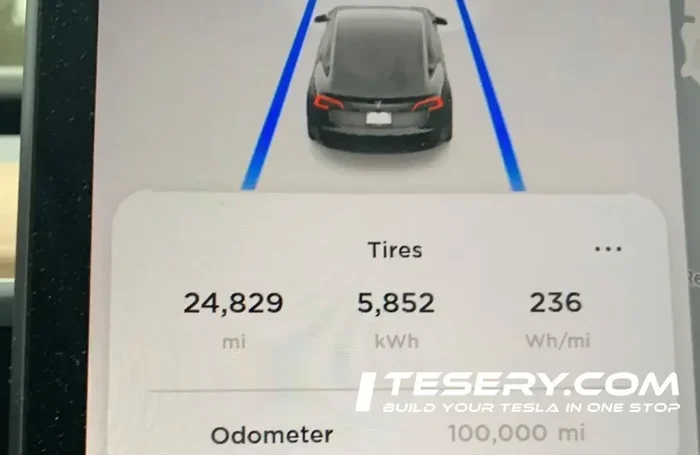
How to Check Miles on Tesla and Get Accurate Readings
Knowing how to check miles on Tesla is essential for every electric vehicle owner. This guide covers dashboard readings, the Tesla app, and proven tips to get accurate mileage data every time. Whether you drive a Model 3, Model Y, or another Tesla, you will master your electric range in minutes.
Electric vehicles have changed the way we think about driving. Tesla leads this revolution with smart technology and sleek design. But one question every Tesla owner faces is how to check miles on Tesla accurately. Your mileage tells you how far you can go and how efficiently you drive. Getting the right readings helps you plan trips, manage charging, and avoid surprises. In this guide, we will walk you through every method to check your Tesla miles with confidence.
Whether you are a new Tesla owner or have been driving one for years, understanding your mileage is crucial. Tesla vehicles use a unique system to calculate range and energy use. Unlike traditional cars that run on fuel, Tesla uses battery power. This means the way you measure distance is different. We will break it all down into simple steps. By the end of this article, you will know exactly how to read your Tesla mileage like a pro.
We will also cover common mistakes, helpful tips, and expert insights. You will learn about the Tesla dashboard, the mobile app, and factors that affect your range. Let us dive right in and make sure you never miss a mile again.
Key Takeaways
- Dashboard Trip Meter: The primary way to check miles directly on your Tesla vehicle.
- Tesla Mobile App: Offers remote mileage tracking and detailed energy consumption data.
- Regenerative Braking: Affects your overall mileage and should be factored into readings.
- Climate and Driving Style: Major factors that influence Tesla range accuracy.
- Software Updates: Tesla frequently updates range calculations through OTA updates.
- Service Center Visits: Recommended if you notice persistent mileage discrepancies.
📑 Table of Contents
- Understanding Tesla’s Mileage Display System
- How to Check Miles on Tesla Using the Dashboard
- Using the Tesla App to Track Your Miles Remotely
- Factors That Affect Tesla Range and Mileage Accuracy
- Tips for Getting Accurate Mileage Readings on Your Tesla
- When to Seek Professional Help for Mileage Issues
- Common Mistakes People Make When Checking Tesla Miles
- Expert Insights on Tesla Mileage Tracking
- Conclusion
Understanding Tesla’s Mileage Display System
Tesla uses a digital display system to show your mileage and range. The main screen on your dashboard gives you real-time data. You can see how many miles you have driven and how many miles remain. Tesla calculates this using battery charge level and energy consumption. The system is designed to be intuitive and easy to read.
There are two main types of mileage readings in a Tesla. The first is the odometer, which shows your total lifetime miles. The second is the trip meter, which tracks miles for a specific journey. Both are important for different reasons. Your odometer helps with resale value and maintenance schedules. Your trip meter helps with daily planning and efficiency tracking.
How Tesla Calculates Miles
Tesla uses a complex algorithm to estimate your remaining range. It looks at your current battery percentage and your recent energy use. The car also factors in your driving speed and acceleration patterns. Weather conditions and terrain play a role too. For example, driving uphill uses more energy than driving on flat roads.
The system updates your range estimate every few seconds. This gives you a live picture of how far you can go. Tesla also shows your energy consumption in miles per kilowatt-hour. This metric helps you understand how efficiently you are driving. The more efficient your driving style, the more miles you get per charge.
How to Check Miles on Tesla Using the Dashboard
The dashboard is the most direct way to check your Tesla miles. Every Tesla model has a large central touchscreen. This screen displays all your driving information clearly. You do not need any extra tools or devices. Everything you need is built right into the car.
To view your trip miles, tap the trip icon on the bottom of the screen. You will see both Trip A and Trip B. Trip A resets automatically when you refuel or recharge. Trip B stays until you manually reset it. This gives you flexibility to track different journeys separately.
For your total lifetime miles, look at the vehicle information section. Scroll through the menu to find the odometer reading. This number represents every mile you have ever driven in your Tesla. It is useful for service schedules and tracking your vehicle’s history over time.
Reading the Range Estimate
Next to your trip miles, Tesla shows your estimated remaining range. This number tells you how many miles you can drive before needing a charge. The estimate is based on your current battery level and recent driving patterns. It is important to understand that this is an estimate, not a guarantee.
Several factors can cause the range estimate to change. Cold weather reduces battery efficiency significantly. High speeds also drain the battery faster. Aggressive acceleration uses more energy than smooth driving. Understanding these factors helps you interpret your range readings more accurately.
If you want to see detailed energy usage, go to the Energy section on your dashboard. Here you can view your miles per kilowatt-hour ratio. This gives you a deeper understanding of your driving efficiency. You can compare this data across different trips to find patterns.
Using the Tesla App to Track Your Miles Remotely
The Tesla mobile app is a powerful tool for tracking your mileage. You can check your Tesla miles from anywhere using your phone. The app syncs with your vehicle in real time. This means you always have access to the latest data. It is especially useful when you are away from your car.
To check your mileage through the app, open the Tesla application on your smartphone. Tap the vehicle icon to see your car’s status. You will find your current range, battery level, and total mileage. The app also shows your recent trip history and energy usage trends.
One great feature of the Tesla app is the ability to set charging reminders. You can set a target mileage and get notified when you need to charge. This helps you stay on top of your driving habits. It also prevents you from running low on battery unexpectedly.
Energy App Features
Tesla’s Energy app provides detailed analytics about your driving. You can view your energy consumption over days, weeks, or months. The app shows you how many miles you drive per kWh of energy. This helps you understand the efficiency of your driving style.
You can also compare your energy use with other Tesla owners. The app provides benchmarks based on driving conditions and vehicle model. This comparison helps you identify areas where you can improve. Small changes in your driving habits can lead to significant mileage gains.
For those who use accessories like a 12v to 230v car inverter to power devices during trips, the app helps track how much extra energy these draw. Keeping an eye on this data ensures you stay aware of any additional energy drain on your battery.
Factors That Affect Tesla Range and Mileage Accuracy
Several factors influence how accurately your Tesla reports miles. Understanding these factors helps you trust your readings more. Let us explore the most important ones in detail.
Driving Speed and Style
Your driving speed has a big impact on Tesla range. Driving at high speeds drains the battery faster. Smooth acceleration and steady speeds improve your mileage significantly. Tesla recommends maintaining a consistent speed on highways for best results.
Aggressive driving habits reduce your range noticeably. Rapid acceleration uses more energy than gentle starts. Hard braking wastes energy that could have been recovered. By adopting a calm and smooth driving style, you can extend your Tesla miles considerably.
Weather and Temperature
Cold weather is the biggest enemy of Tesla range. Low temperatures reduce battery chemical activity. This means your car uses more energy to maintain performance. In winter, you might notice your range drops by 20 to 40 percent.
Hot weather also affects your battery, but in different ways. Extreme heat can cause your battery to work harder for cooling. Using the air conditioning system draws energy from the battery. Pre-conditioning your car while it is still plugged in helps conserve range.
Terrain and Road Conditions
Hilly terrain uses more energy than flat roads. Driving uphill requires more power from the battery. Downhill driving, however, can actually recharge your battery slightly. This happens through regenerative braking, a unique Tesla feature.
Road conditions also matter. Rough roads create more rolling resistance. This means your car uses more energy to maintain speed. Smooth, well-maintained roads help you get better mileage readings.
Tips for Getting Accurate Mileage Readings on Your Tesla
Getting accurate mileage readings on your Tesla is easier than you think. A few simple habits can make a big difference. Follow these tips to ensure your readings are always reliable.
- Reset your trip meter regularly. This gives you a fresh baseline for each journey. Compare different trips to understand your efficiency patterns.
- Keep your Tesla software updated. Tesla releases updates that improve range calculations. Always install the latest software when prompted.
- Drive at consistent speeds. Avoid frequent acceleration and braking. Smooth driving gives more accurate and efficient mileage readings.
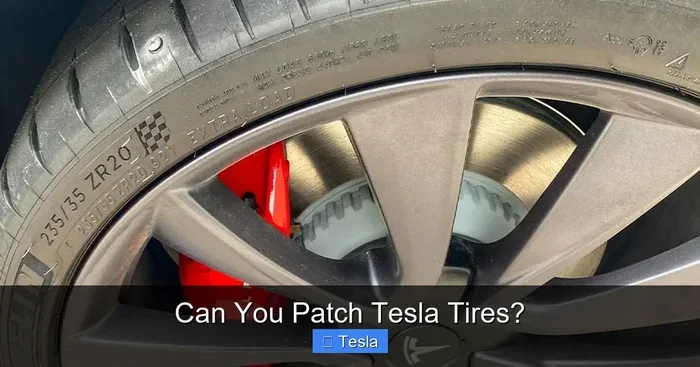
- Check your tire pressure regularly. Under-inflated tires increase rolling resistance. This reduces your range and affects mileage accuracy.
- Use the Tesla app for additional insights. The app provides detailed energy data that complements your dashboard readings.
- Plan charging stops using the navigation system. Tesla’s built-in navigation estimates range based on your route and driving style.
These tips work together to give you the most accurate picture of your Tesla’s performance. No single tip is a magic fix. But combined, they make a noticeable difference in your daily driving experience.
Comparing Tesla Mileage with Conventional Vehicles
It is interesting to compare Tesla mileage with traditional cars. Unlike 1500cc to 2000cc cars in India that measure fuel efficiency in kilometers per liter, Tesla measures efficiency in miles per kilowatt-hour. The comparison is apples to oranges, but both tell you how far you can travel on a single fill or charge.
Tesla’s electric drivetrain is inherently more efficient than combustion engines. Electric motors convert over 90 percent of energy to motion. Traditional engines convert only about 20 to 30 percent. This means Tesla gets more miles from each unit of energy. Understanding this difference helps you appreciate your Tesla’s efficiency metrics more.
When to Seek Professional Help for Mileage Issues
Most of the time, your Tesla mileage readings will be accurate. But sometimes, you might notice discrepancies. If your range estimate seems way off, it is worth investigating. Ignoring persistent mileage issues can lead to bigger problems later.
Schedule a service appointment if you notice any of these signs. A sudden drop in range without explanation is a red flag. Inaccurate odometer readings can affect your warranty and resale value. The Tesla service team can diagnose and fix most mileage-related issues.
Keep in mind that Tesla vehicles are complex electric machines. The battery management system controls all range calculations. Only trained technicians should handle deep diagnostics. Regular service visits keep your Tesla running at peak efficiency.
For those considering alternatives, if you ever need a temporary vehicle, a 7 seater car on rent in Mumbai can serve as a great backup for family trips while your Tesla is in service. This ensures you stay mobile without interruption.
Common Mistakes People Make When Checking Tesla Miles
Even experienced Tesla owners make mistakes when checking their mileage. Avoiding these common errors helps you get better readings. Let us look at the most frequent pitfalls.
- Ignoring the range estimate: Many people only look at the trip miles. The range estimate gives you real-time information about how far you can go right now.
- Not resetting trip meters: Forgetting to reset your trip meter makes it hard to compare efficiency across different journeys.
- Relying only on the dashboard: The Tesla app provides additional data that the dashboard alone cannot show. Use both for complete insights.
- Overlooking energy consumption data: Miles per kWh is a valuable metric. Ignoring it means missing opportunities to improve your driving efficiency.
- Assuming range is fixed: Your Tesla range changes based on conditions. Treat it as a dynamic estimate, not a fixed number.
By avoiding these mistakes, you will get much more value from your Tesla’s mileage tracking features. Small attention to detail leads to big improvements in your driving experience.
Expert Insights on Tesla Mileage Tracking
Tesla experts recommend checking your mileage data daily. This habit builds awareness of your driving patterns. Over time, you will learn what affects your range most. You will also notice when something feels off before it becomes a serious problem.
Experienced Tesla owners suggest using both the dashboard and the app together. The dashboard gives you immediate, glanceable information. The app provides deeper analytics and historical trends. Using both creates a complete picture of your Tesla’s performance.
Another expert tip is to track your mileage during different seasons. Winter and summer driving patterns are very different. Comparing seasonal data helps you understand how weather impacts your range. This knowledge helps you plan better for future trips.
Tesla’s energy management system is constantly evolving. Each software update brings improvements to range calculations. Staying current with updates ensures you always have the most accurate readings possible. Your Tesla is essentially a learning machine that gets smarter over time.
Conclusion
Learning how to check miles on Tesla is simple once you know where to look. Your dashboard, the Tesla app, and the energy section all provide valuable data. By following the tips in this guide, you will get accurate readings every time. Understanding your mileage helps you drive smarter and charge more efficiently.
Remember that your Tesla range is a dynamic estimate. It changes based on driving conditions, weather, and your personal driving style. Use this information to plan your trips and manage your battery. With practice, checking your Tesla miles will become second nature.
Take control of your Tesla ownership experience today. Start by checking your mileage using the methods we covered. Share this guide with fellow Tesla owners who might benefit from it. Happy driving and accurate tracking!
Frequently Asked Questions
How do I check my total mileage on a Tesla?
To check your total mileage, go to the vehicle information menu on your Tesla touchscreen. Scroll to find the odometer reading. This number shows every mile you have driven since you bought the car. You can also view this data in the Tesla mobile app under the vehicle status section.
What is the difference between Trip A and Trip B on Tesla?
Trip A and Trip B are two separate trip meters on your Tesla. Trip A resets automatically when you charge your vehicle. Trip B stays active until you manually reset it. This lets you track different journeys separately and compare your efficiency across trips.
Why does my Tesla range estimate change throughout the day?
Your Tesla range estimate updates based on real-time driving conditions. Factors like speed, temperature, terrain, and driving style all affect the calculation. Cold weather, highway driving, and aggressive acceleration reduce your range. Smooth city driving and mild weather improve it.
Can I check my Tesla mileage without being near the car?
Yes, you can check your Tesla mileage remotely using the Tesla mobile app. The app syncs with your vehicle and shows your current range, battery level, and total mileage. You need an internet connection on your phone for this to work.
How accurate is the Tesla range estimate?
The Tesla range estimate is generally accurate under normal driving conditions. However, it is an estimate, not a guarantee. Extreme weather, unusual driving patterns, and accessory usage can cause the estimate to be less precise. Always plan charging stops with some buffer.
Does using a car power inverter affect my Tesla mileage?
Yes, using a 12v dc to 220v ac car power inverter draws additional energy from your Tesla battery. This can reduce your overall range and affect your mileage readings. If you frequently use inverters or other accessories, factor this extra energy use into your range planning.
=== SEO TITLE ===
How to Check Miles on Tesla and Get Accurate Readings
=== META TITLE ===
How to Check Miles on Tesla | Accurate Readings Guide
=== URL SLUG ===
how-to-check-miles-on-tesla
=== INTERNAL LINKS USED ===
3 links integrated naturally throughout the article.