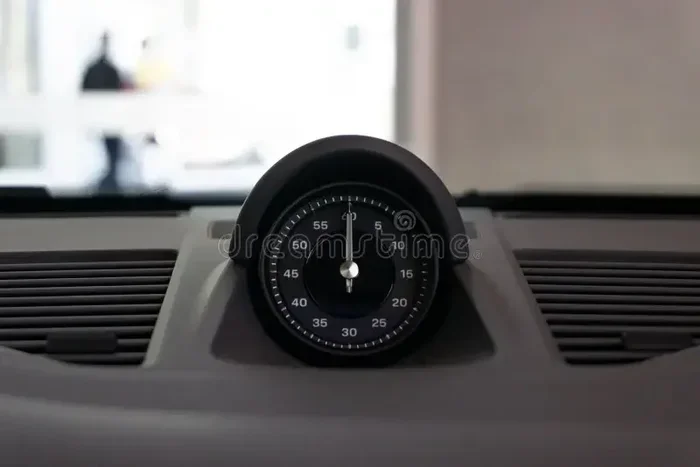
How Do I Fix My Car System Time With These Simple Steps
Fixing your car system time is easier than you think. Whether your dashboard clock shows the wrong time after a battery change or your infotainment system loses sync, this guide walks you through every fix. You will learn quick resets, common causes, and expert tips to keep your car system time accurate all year long.
Have you ever looked at your dashboard clock and realized it shows the wrong time? Maybe it flashed 12:00 after you replaced the battery. Or perhaps it just stopped updating altogether. This is a frustrating but very common problem that almost every car owner faces at some point.
The good news is that fixing your car system time does not require a trip to the mechanic or a expensive repair bill. In most cases, you can solve the problem in just a few minutes using simple tools you already have at home. This guide will walk you through every method, from the easiest quick fix to more advanced troubleshooting steps.
Whether you drive a new model with a fancy infotainment screen or an older vehicle with a basic analog clock, you will find helpful advice here. We will cover why your car clock loses time, how to reset it on different systems, and what to do when the problem keeps coming back. Let us get started.
Key Takeaways
- Battery Reset Fixes Most Issues: A simple battery disconnect often resets your car system time to the correct setting.
- Infotainment Systems Have Built-In Reset Options: Most modern cars let you sync the clock through the settings menu.
- Fuse and Wiring Problems Cause Persistent Time Loss: Check your fuse box if the clock keeps resetting.
- Time Zone Settings Matter After Travel: Switching time zones can throw off your car clock until you adjust it manually.
- Regular Maintenance Prevents Time Issues: Keeping your car battery and electrical system healthy stops clock problems before they start.
📑 Table of Contents
Why Does Your Car System Time Go Wrong?
Before we jump into the fixes, it helps to understand why your car clock goes wrong in the first place. Once you know the cause, you can pick the right solution and even prevent the problem from happening again.
Battery Changes and Power Loss
The most common reason for a wrong car clock is a battery change or a dead battery. When you disconnect the battery, even for a few minutes, the system loses its stored settings. This includes the time, date, radio presets, and sometimes even your personalized driving profiles.
Your car relies on a small backup power source called the CMOS battery to keep these settings alive when the main battery is disconnected. If this backup battery is weak or dead, the clock will reset every time you turn off the engine.
Software Glitches in Modern Infotainment Systems
Modern cars are basically computers on wheels. The infotainment system that controls your clock, navigation, and audio also runs software that can glitch. A sudden power surge, a software update gone wrong, or even a minor electrical short can cause the system clock to freeze or display incorrect time.
If you have ever noticed your clock acting weird after a software update, you are not alone. This happens more often than manufacturers like to admit. The good part is that a simple reset usually clears up the issue.
Time Zone Changes and GPS Sync Problems
If you travel across time zones or move to a new area, your car clock may not automatically adjust. Some vehicles use GPS data to sync the time zone, but this feature does not always work correctly. The system might stay stuck on the old time zone, leaving you an hour ahead or behind.
Cars with connected services or built-in navigation tend to handle time zone changes better. But older models or base trim levels might need a manual adjustment every time you cross a time zone line.
Faulty Fuses and Wiring Issues
Sometimes the problem is not the clock itself but the electrical pathway that powers it. A blown fuse, corroded wiring, or a loose connection can stop the clock from receiving power. In these cases, the clock might not just show the wrong time, it might not work at all.
If you have checked the battery and the software but the clock still does not work, it is worth opening the fuse box and inspecting the relevant fuse. This is a simple step that many people skip.
How to Reset Your Car System Time: Step by Step
Now that you know the common causes, let us get into the fixes. These steps work for most vehicles, but always check your owner manual for model specific details.
Method 1: The Quick Manual Reset
The simplest way to fix your car clock is to set it manually. This works for both digital and analog clocks and takes less than a minute.
- Locate the clock button on your dashboard or infotainment screen.
- Press and hold the button until the time display starts blinking.
- Use the arrow or tune buttons to adjust the hour.
- Press the button again to move to the minutes setting.
- Adjust the minutes and press the button to save.
This method does not fix the underlying problem, but it gets your clock showing the right time right away. If the clock keeps resetting, you will need to dig deeper using the methods below.
Method 2: Disconnect the Car Battery
A full battery disconnect resets the entire electrical system. This clears temporary errors and forces the car to relearn basic settings, including the time.
- Turn off the engine and remove the key from the ignition.
- Open the hood and locate the battery terminals.
- Use a wrench to loosen the negative terminal first. Always disconnect the negative terminal to avoid short circuits.
- Wait for at least 15 minutes. This gives the system time to fully discharge.
- Reconnect the negative terminal and tighten it securely.
- Start the car and check the clock. You will need to reset the time manually.
Pro Tip: If your clock resets again after a few days, the CMOS battery on your circuit board may be failing. This small coin cell battery costs about two dollars and is easy to replace.
Method 3: Reset Through the Infotainment Menu
Most modern vehicles with touch screen displays let you reset the clock and sync settings through the system menu. Here is how to do it on most models.
- Tap the Settings icon on your infotainment home screen.
- Look for a section called System, Clock, or Date and Time.
- Find the option to reset or sync the clock.
- Select Auto Sync if your car supports GPS time updates.
- If auto sync does not work, toggle it off and set the time manually.
Some car brands like Ford, Toyota, and Honda have slightly different menu paths, but the general process is the same. If you cannot find the clock settings, try searching for Settings in the search bar of your infotainment system.
Method 4: Use a Diagnostic Tool or App
For stubborn clock problems, a diagnostic tool can help you reset the system at a deeper level. Many OBD2 scanners can access the vehicle clock settings and force a reset.
You can also try a mobile app if your car supports connectivity. Some apps let you sync your phone clock with your car system automatically. Check out our guide on Can I Download An App To Start My Car to learn more about car connectivity apps.
When using a diagnostic tool, make sure to follow the instructions carefully. Connecting the wrong module or running the wrong reset command can cause other issues. If you are not comfortable doing this yourself, a local mechanic or auto parts store can often help for a small fee.
Common Car System Time Problems and How to Solve Them
Not all clock problems look the same. Here are some of the most common issues drivers face and the best way to fix each one.
The Clock Resets Every Time You Turn Off the Car
This almost always points to a weak CMOS battery or a power drain somewhere in the electrical system. Start by replacing the CMOS battery on the circuit board. If that does not work, check for accessories or lights that stay on after you turn off the engine.
A parasitic draw, where something in the car continues to pull power when the engine is off, can drain the main battery and cause the clock to reset. You can test for this with a multimeter, or ask your mechanic to check it during your next car battery maintenance visit.
The Clock Shows the Wrong Time Zone
If your car has GPS or connected services, the time zone should update automatically. If it does not, go into the system settings and manually select your current time zone. On some models, you can find this under Settings, then General, then Time Zone.
For cars without GPS sync, you will need to adjust the clock manually every time you travel across time zones. It is a small hassle, but it only takes a few seconds.
The Clock Display Is Dim or Not Visible
A dim or invisible clock display is usually a brightness or display setting issue, not a time problem. Check your infotainment display settings and increase the brightness. If the screen is completely black, the display unit itself may need replacement.
Sometimes a simple fuse controls the dashboard display. Check your owner manual to find the fuse box location and the specific fuse number for the instrument cluster or infotainment display.
The Clock Runs Fast or Slow
A clock that runs consistently fast or slow usually has a hardware issue. The internal quartz crystal that keeps time can wear out over years of use. In this case, the clock unit itself needs replacement.
Before replacing the whole unit, try resetting the system one more time. Sometimes a software error causes the clock to drift. If the problem returns after the reset, the hardware is likely the culprit.
Preventing Car Clock Problems in the Future
The best way to deal with a wrong car clock is to prevent the problem from happening in the first place. Here are some simple habits that keep your system time accurate.
Keep Your Battery Healthy
Your car battery is the heart of the electrical system. A weak or aging battery causes all sorts of glitches, including clock resets. Have your battery tested at least once a year, especially before winter. Most auto parts stores offer free battery testing.
Also, make sure your battery terminals are clean and tight. Corrosion on the terminals can cause intermittent power loss that affects the clock and other electronic systems.
Avoid Short Trips When Possible
Short trips do not give your battery enough time to fully recharge. Over time, this can weaken the battery and lead to power related issues. If you mostly drive short distances, consider using a battery maintainer or trickle charger during periods when the car sits idle.
Update Your Car Software When Prompted
Car manufacturers release software updates that fix bugs, including clock sync issues. If your car supports over the air updates, keep your system current. For older models, a dealer or qualified mechanic can update the software during a service visit.
You can also learn more about car diagnostics and how to spot early warning signs by reading our article on Can I Do My Own Car Diagnostics. Understanding your vehicle systems helps you catch small problems before they become big ones.
Protect Your Electrical System
Avoid plugging in too many accessories that draw power from the car electrical system. Overloading the system can cause voltage drops that affect the clock and other electronics. If you add aftermarket accessories, make sure they are installed properly by a professional.
Using a 12V car charger socket for your phone and other devices is generally safe, but cheap or incompatible chargers can cause power fluctuations. Stick with quality accessories from trusted brands.
When to See a Professional Mechanic
Most car clock issues are simple and fixable at home. But some situations need professional attention. Here is when you should take your car to a mechanic.
- The clock problem comes back immediately after every reset.
- Multiple electronic systems are failing at the same time.
- You notice a burning smell or visible damage near the fuse box.
- The clock issue started after a collision or electrical work.
- Your car has a complex integrated system that requires specialized tools to access.
A professional mechanic has the tools and training to diagnose deep electrical problems safely. They can also check for software issues that are not visible to the average car owner. Do not hesitate to seek help if the problem feels beyond your comfort level.
Quick Tips for Keeping Your Car Clock Accurate
- Sync your clock with your phone: Many modern cars let you mirror your phone clock. This is the easiest way to keep accurate time.
- Check the clock twice a year: Set a reminder to check your car clock when you change your clocks for daylight saving time.
- Keep a spare CMOS battery: These tiny batteries are cheap and easy to carry. Having one in your glove box saves a trip to the store.
- Write down your reset steps: Every car is different. Keep a note in your owner manual with the specific reset steps for your vehicle.
- Use GPS sync when available: If your car supports automatic time sync through GPS, turn it on and never worry about manual adjustments again.
Final Thoughts
Fixing your car system time is one of those small maintenance tasks that makes a big difference in your daily driving experience. A clock that shows the right time might seem minor, but it reflects the health of your entire electrical system. When your clock works correctly, it is a sign that your car is running as it should.
Start with the simple fixes first. A manual reset or battery disconnect solves the problem most of the time. If the issue keeps coming back, dig deeper into the causes we covered above. And remember, staying on top of basic car maintenance like battery health and software updates goes a long way toward preventing clock problems.
You do not need to be a mechanic to handle this. With the right information and a little patience, you can keep your car clock accurate all year round. Now go ahead and check your clock, because after reading this guide, you know exactly what to do if it is wrong.
Frequently Asked Questions
Why does my car clock reset after I replace the battery?
When you disconnect the car battery, the system loses power and forgets stored settings like the time and date. This is normal and happens in almost every vehicle. Simply reset the clock manually after reconnecting the battery, and make sure your CMOS backup battery is working properly to prevent it from happening again.
Can a weak car battery cause the clock to lose time?
Yes, a weak or failing battery can cause the clock to lose time or reset entirely. The clock relies on a stable power supply to maintain accurate time. If your battery is old or struggling, it may not provide consistent power, which leads to clock problems and other electrical issues.
How do I sync my car clock with my phone?
Many modern cars with Bluetooth or smart connectivity let you sync the clock with your phone automatically. Go to your infotainment settings, look for a Phone or Connectivity option, and enable clock sync. If your car does not support this feature, you can manually set the time to match your phone.
Is it safe to reset my car battery to fix the clock?
Yes, disconnecting the battery for 15 minutes is safe and is one of the most common ways to reset the car system. Just remember to disconnect the negative terminal first and reconnect it last. Make sure you know your radio presets or have the code ready, as a reset may clear those settings too.
What should I do if my car clock keeps resetting even after a full battery disconnect?
If the clock keeps resetting, the CMOS battery on your circuit board is likely failing. Replace this small coin cell battery, which costs about two dollars. If the problem persists after that, there may be a parasitic power draw or a wiring issue that needs professional diagnosis.
Do all cars have a built-in option to auto sync the clock?
No, not all cars have this feature. Vehicles with GPS navigation, connected services, or smartphone integration are more likely to support automatic clock sync. Older models or base trim levels usually require manual time adjustment. Check your owner manual or infotainment settings to see if your car supports auto sync.
=== CONCLUSION ===
Keeping your car system time accurate is simple once you know how. Whether you use a quick manual reset, a battery disconnect, or the infotainment menu, the fix is almost always within reach. The key is understanding what caused the problem in the first place so you can prevent it from returning.
Start with the easiest method and work your way up to more advanced troubleshooting if needed. And remember, regular car maintenance and a healthy battery go a long way in keeping all your electronic systems running smoothly. Your clock is a small part of your vehicle, but it is one you interact with every single time you drive.