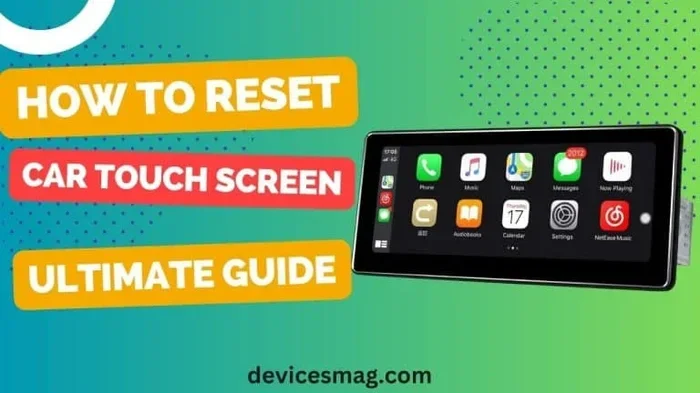
How Do I Reset My Car Touch Screen for Better Performance
Resetting your car touch screen is easier than you think and can fix freezing, lag, and unresponsive display issues in minutes. Whether you need a soft reset or a full factory reset, this guide walks you through every method with clear, simple steps. You will also learn why your car touchscreen acts up, how to prevent future problems, and when to seek professional help. Keep reading to get your car display working like new again.
Have you ever tapped your car screen and nothing happened? Or maybe the display froze right in the middle of navigating to a new place. A car touch screen reset can solve these frustrating problems faster than you think. In this guide, we will walk you through every method to get your car display back to working perfectly. You do not need to be a tech expert to follow along.
Modern cars come loaded with infotainment systems that handle navigation, music, climate control, and more. When the car touchscreen starts acting up, it can throw a wrench into your entire driving experience. The good news is that most issues are easy to fix with a simple reset. We will cover soft resets, hard resets, and factory resets so you can pick the right approach for your situation.
Key Takeaways
- Soft Reset: A quick restart that fixes most minor touchscreen glitches without losing any data.
- Hard Reset: A deeper reset that clears cached data and resolves stubborn screen freezes.
- Factory Reset: The last resort that restores your car display to original settings — back up first.
- Prevention Tips: Regular updates and proper care keep your car touchscreen running smoothly.
- Know When to Call a Pro: Some issues need a certified technician, especially after a car diagnostics check.
- Power Matters: A stable 12V car charger socket connection prevents many screen issues.
📑 Table of Contents
- Why Does My Car Touch Screen Stop Working?
- How to Perform a Soft Reset on Your Car Touch Screen
- How to Perform a Hard Reset on Your Car Touch Screen
- How to Factory Reset Your Car Touch Screen
- Car Touch Screen Reset by Brand
- Preventing Future Car Touch Screen Problems
- When to Seek Professional Help
- Common Mistakes to Avoid When Resetting Your Car Touch Screen
- Final Thoughts
Why Does My Car Touch Screen Stop Working?
Before we jump into the reset steps, it helps to understand what causes car screen problems in the first place. Knowing the root cause can help you prevent issues in the future. Here are the most common reasons your car display might stop responding.
Software Glitches and Freezes
Just like your smartphone, your car’s infotainment system runs on software. Sometimes that software encounters a bug or freezes unexpectedly. A car touchscreen reset clears the temporary memory and lets the system start fresh. This is the number one reason drivers need to reset their screens.
Overheating
Car screens sit in hot environments, especially during summer. Heat can cause the display to lag, flicker, or stop responding altogether. If you notice the screen acting weird after sitting in the sun, let it cool down before trying a reset.
Power Supply Issues
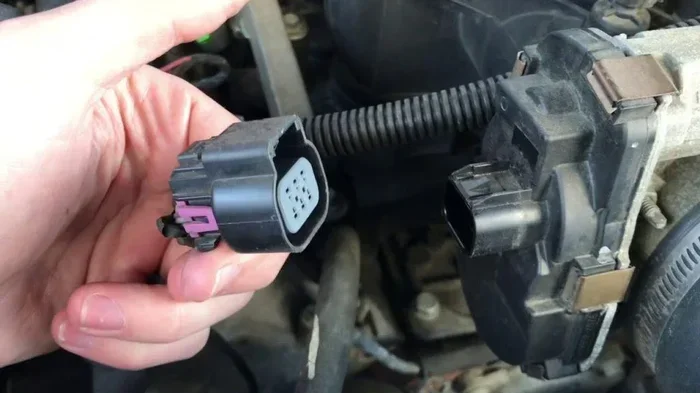
Your car touchscreen needs a stable power source to function properly. A loose connection or a failing 12V car charger socket can cause intermittent screen problems. If the display turns on and off randomly, the power supply might be the culprit.
Outdated Software
Car manufacturers release updates to fix bugs and improve performance. If you have not updated your infotainment system in a while, it might be time to do so. An outdated system is more prone to crashes and freezes.
Moisture or Water Damage
Spills and humidity can damage the internal components of your car screen. If moisture gets under the display, it can cause permanent damage if not addressed quickly.
How to Perform a Soft Reset on Your Car Touch Screen
A soft reset is the easiest and safest way to restart your car display. It does not delete any of your settings, apps, or saved data. Think of it like restarting your phone — quick and painless.
Method 1: The Restart Button
Many modern cars have a dedicated restart button on the infotainment unit. Look for a small reset pinhole on the back or side of the unit. Use a paperclip or a SIM ejector tool to press it gently. The screen will go dark and then turn back on within a few seconds.
Method 2: Hold the Power Button
If your car does not have a dedicated reset button, try holding the power button for 10 to 15 seconds. This forces the system to restart. You will see the screen go black, and then the car logo will appear as it boots back up.
Method 3: Turn the Car Off and On
The simplest method of all. Turn off the engine, remove the key from the ignition, and wait for at least 60 seconds. Then start the car again. This gives the infotainment system a full cycle to refresh.
Quick Tip: Always try a soft reset first. It solves the majority of touchscreen issues without any risk of data loss.
How to Perform a Hard Reset on Your Car Touch Screen
If a soft reset does not fix the problem, it is time to try a hard reset. A hard reset clears the temporary cache and forces the system to reload all settings from scratch. This method is more powerful but still safe for your data.
When Should You Do a Hard Reset?
Use a hard reset when your car screen frozen problem persists after a soft reset. Also try a hard reset if the display keeps flickering, if touch inputs are delayed, or if certain apps crash every time you open them.
Step-by-Step Hard Reset Guide
- Turn off the car engine and remove the key from the ignition.
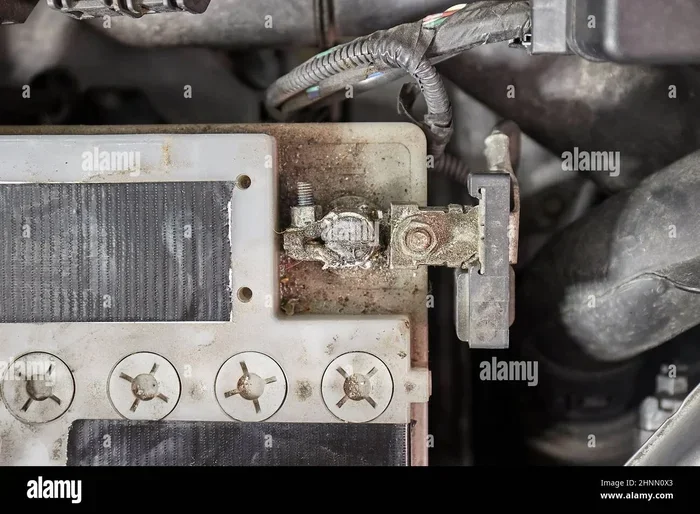
- Open the hood and locate the car battery. Find the negative terminal (it usually has a minus sign).
- Disconnect the negative battery cable using a wrench. Wait for at least 5 minutes.
- Reconnect the cable and tighten it securely.
- Start the car and wait for the infotainment system to fully boot up.
This process drains all residual power from the system, which forces a complete hardware reset. Your saved settings and preferences should remain intact, but you may need to reconnect Bluetooth devices and adjust your display preferences.
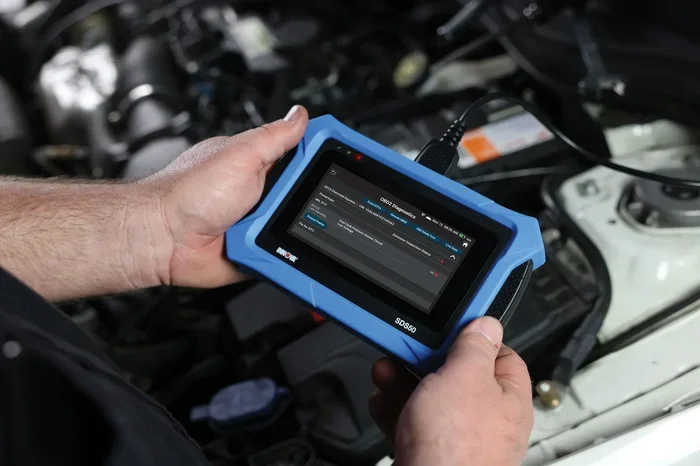
Expert Insight: Some car models have a specific button combination for a hard reset. Check your owner’s manual or search online for your specific car model. If you are unsure about any step, consider doing your own car diagnostics first to make sure the issue is isolated to the touchscreen.
How to Factory Reset Your Car Touch Screen
A factory reset is the most thorough option. It erases all personal settings, saved Wi-Fi networks, paired devices, and custom preferences. This should be your last resort when nothing else works.
When Is a Factory Reset Necessary?
You need a factory reset when the screen is completely unresponsive, when the system crashes repeatedly, or when you are selling or giving away your car. A factory reset wipes the slate clean and gives the next user a fresh start.
How to Factory Reset
- Go to Settings on your car infotainment system.
- Look for System or General Settings.
- Find the Reset option. It may be labeled as “Factory Reset,” “Master Reset,” or “Restore Defaults.”
- Confirm the reset. The system will take several minutes to complete the process.
- Set up your preferences again once the car boots back up.
Important: Before performing a factory reset, make sure you have backed up any important data. Write down your Wi-Fi passwords and note your preferred settings so you can restore them quickly.
Car Touch Screen Reset by Brand
Different car brands have slightly different reset procedures. Here is a quick comparison of how to reset the touchscreen on popular car brands.
| Brand | Soft Reset | Hard Reset | Factory Reset |
|---|---|---|---|
| Toyota | Hold power button 10 sec | Disconnect battery for 5 min | Settings > System > Reset |
| Honda | Hold power button 15 sec | Remove fuse for 10 min | Settings > System > Restore |
| Ford | Hold power button 20 sec | Disconnect battery cable | Settings > Sync > Factory Reset |
| Chevrolet | Hold power button 10 sec | Disconnect battery for 5 min | Settings > Vehicle > Reset |
| BMW | Hold power button 15 sec | Battery disconnect method | iDrive > Settings > Reset |
These are general guidelines. Always refer to your specific car model’s owner manual for the exact procedure. If you are unsure, a quick search for your car model and “touchscreen reset” online will give you precise instructions.
Preventing Future Car Touch Screen Problems
The best way to deal with touchscreen issues is to prevent them from happening in the first place. Here are some simple habits that keep your car display in great shape.
- Keep your software updated. Car manufacturers release updates that fix bugs and improve performance. Check for updates every few months.
- Avoid extreme temperatures. Park in the shade when possible and use a windshield sun shade to keep the interior cool.
- Keep the screen clean. Use a microfiber cloth to wipe the screen regularly. Avoid harsh chemicals that can damage the display.
- Do not overload the system. Too many apps and too much cached data can slow down the infotainment system. Delete unused apps regularly.
- Check your power connections. A loose 12V car charger socket or a frayed cable can cause power fluctuations that affect the screen.
- Restart your system regularly. Just like your phone, giving your car infotainment system a quick restart every few weeks keeps it running smoothly.
Quick Tip: If you are someone who loves tech gadgets, you might enjoy learning how to download an app to start your car — it is another great way to get more out of your car’s technology.
When to Seek Professional Help
Most touchscreen issues resolve with a simple reset. But some problems need professional attention. If you have tried a soft reset, hard reset, and factory reset without success, it is time to see a mechanic. Here are signs that your issue is more serious:
- The screen stays black even after a full reset
- You see visible cracks or damage to the display
- The screen works intermittently and gets worse over time
- You notice a burning smell or see smoke from the unit
- Other car systems are also malfunctioning
A certified technician can run a full diagnostic and determine whether the issue is with the screen itself, the wiring, or the car’s main computer system. Sometimes a simple car diagnostics session reveals a problem that is easy and inexpensive to fix.
Common Mistakes to Avoid When Resetting Your Car Touch Screen
Even with the best intentions, people make mistakes when trying to reset their car screens. Here are some common pitfalls to avoid.
- Forgetting to back up settings. A factory reset wipes everything. Write down your preferences first.
- Disconnecting the wrong battery terminal. Always disconnect the negative terminal first to avoid electrical shorts.
- Resetting too frequently. Constant resets can wear out the system. Try other fixes first.
- Ignoring the owner’s manual. Every car is different. Your manual has the exact reset procedure for your model.
- Using harsh cleaning products. These can damage the screen and make touch input less responsive.
Expert Insight: If your car touchscreen issues started after a recent update or after you installed a new app, that is likely the cause. Uninstall the new app or roll back the update if possible before doing a full reset.
Final Thoughts
Resetting your car touch screen is one of the simplest and most effective ways to fix display problems. Whether you choose a soft reset, hard reset, or factory reset, the process is straightforward and usually takes just a few minutes. Start with the gentlest option and work your way up if needed.
Regular maintenance goes a long way in preventing touchscreen issues. Keep your software updated, clean the screen gently, and make sure your power connections are secure. These small habits save you from frustrating screen freezes and glitches down the road.
If none of the reset methods work, do not hesitate to visit a professional. A quick diagnostic check can reveal underlying issues that a simple reset cannot fix. Remember, your car touchscreen is a valuable tool for navigation, entertainment, and safety. Keeping it in top shape makes every drive better.
Now that you know how to reset your car touch screen, you are fully equipped to handle the most common display problems. Try these steps the next time your screen acts up, and you will be back on the road with a fully functional display in no time.
Frequently Asked Questions
How long does it take to reset a car touch screen?
A soft reset usually takes less than a minute. A hard reset may take 5 to 10 minutes including the battery disconnect time. A factory reset can take 15 to 30 minutes depending on your car model and how much data needs to be cleared.
Will I lose my saved data after resetting my car touchscreen?
A soft reset does not delete any data. A hard reset usually preserves your settings but may require you to reconnect Bluetooth devices. A factory reset erases all personal data, so always back up important information first.
Can I reset my car touch screen while driving?
No, you should always perform a reset when the car is parked and the engine is off. Attempting to reset the screen while driving is dangerous and can cause you to lose access to navigation and other important features.
Why does my car touch screen keep freezing even after a reset?
If the screen keeps freezing after multiple resets, there may be a deeper hardware or software issue. Check for software updates, inspect the power connections, and consider visiting a professional for a full diagnostic check.
Is it safe to disconnect the car battery to reset the touchscreen?
Yes, it is safe as long as you follow the correct procedure. Always disconnect the negative terminal first, wait at least 5 minutes, and reconnect it securely. If you are unsure, consult your car owner’s manual or ask a mechanic for help.
How often should I reset my car touch screen?
You should not need to reset your car touchscreen regularly. Only perform a reset when you notice problems like freezing, lag, or unresponsive inputs. Doing unnecessary resets can disrupt your settings and should be avoided.
=== CONCLUSION ===
Resetting your car touch screen is a simple skill every car owner should know. A soft reset fixes most minor issues, a hard reset tackles stubborn freezes, and a factory reset gives you a completely fresh start. Follow the steps in this guide and your car display will be working smoothly again in no time. Keep your software updated, clean your screen regularly, and address small problems before they become big ones. With the right care, your car touchscreen will serve you well for years to come.